Choose a plan, start the trial and understand credits
Pick a plan, start the 7-day trial with 1,000 credits and see how credits work in the Shopify app.
RankX AI has a Free plan and three paid plans, and Shopify bills whichever you choose on your store's bill. New stores get a 7-day trial with 1,000 credits on any paid plan. Credits pay for AI checks and AI writing, and most other work in the app is free.
Before you start
- Install the app.
- A Shopify login that can approve app charges.
Which plan should I choose?
| Free | Starter | Growth | Pro | |
|---|---|---|---|---|
| Monthly price | $0 | $49 | $99 | $199 |
| Yearly price | $0 | $490 | $990 | $1,990 |
| Credits a month | None | 5,000 | 12,000 | 25,000 |
| Questions per kind | Free check only | 25 | 50 | 100 |
| Monitored products | Up to 10, for the free check | 100 | 250 | 500 |
"Per kind" means AI Shopping questions and AI answer questions each have that limit. Paid plans include the same tools, so choose by how many questions and products you want to follow. Plans and billing has the full comparison.
How do I choose a plan?
Open the plan page
Press See plans on Home, or go to Settings, press See plans and credits, then press Choose a plan. Shopify's plan page opens.
Pick monthly or yearly
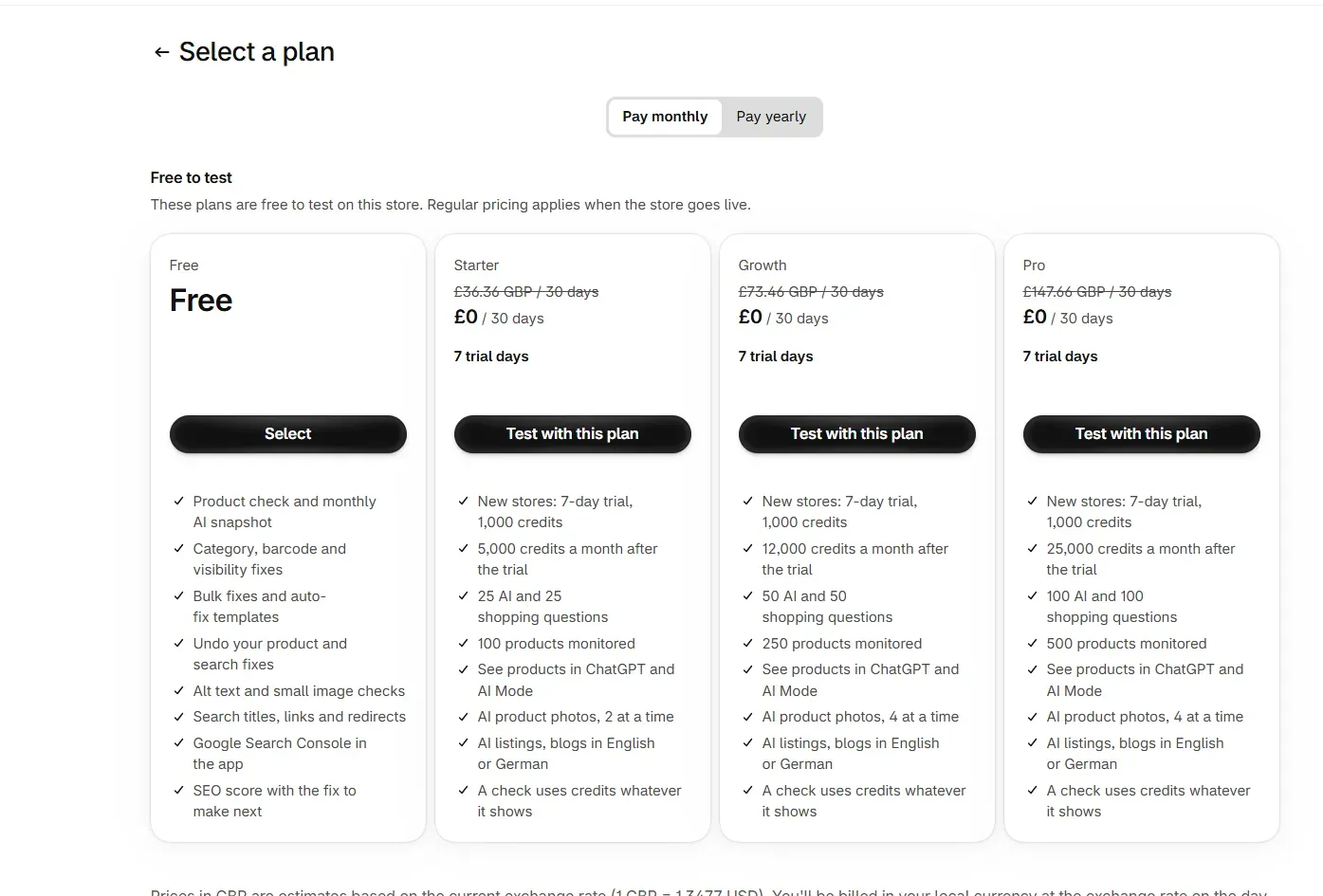
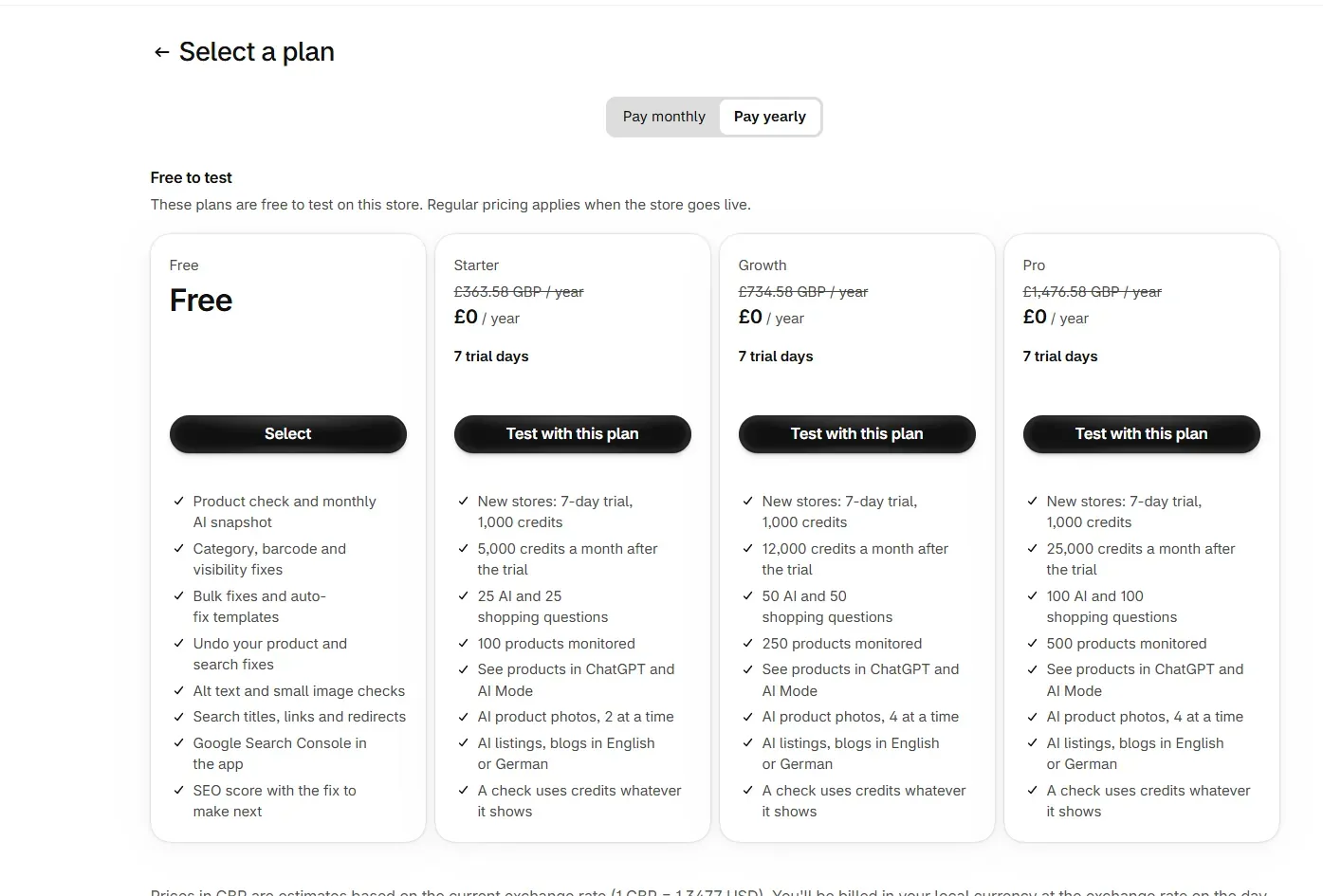
Shopify's page has Pay monthly and Pay yearly tabs. Choose one and read the plan cards.
Select a plan
Press Select on Free, or the plan's button on a paid plan. A paid plan opens Approve charge.
Approve the charge
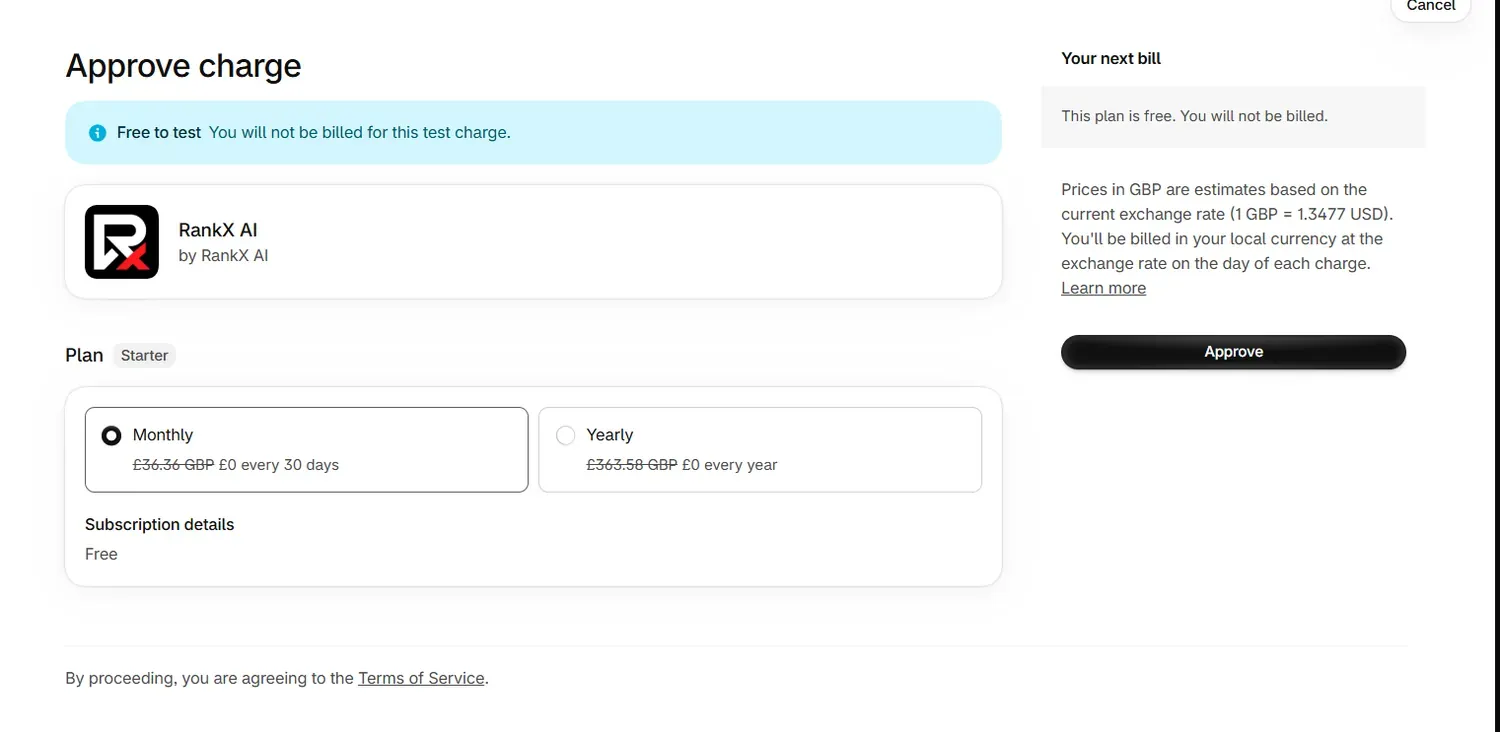
Approve charge shows your plan with Monthly and Yearly options, and Your next bill on the right. Check them and press Approve.
Return to RankX AI
Home shows Confirming your plan, then your plan with free trial beside it. Setup starts by itself and Home shows Setting up your store.
Shopify's page may show prices as estimates in your local currency, with a note about the exchange rate. Plans are priced in USD. Monthly plans read as every 30 days there.
How does the free trial work?
- The trial is 7 days, on any paid plan. Choosing a plan starts it, and nothing starts at install.
- New stores get 1,000 trial credits, once per store. A store that has had them before gets its monthly credits with its first bill instead, and the Plan page says so.
- Trial credits are for the trial, and any left end when it finishes.
- During the trial, checks run every 7 days at most, whatever Settings shows.
- Shopify bills you only if you keep the plan after 7 days. The Plan page shows your exact end date.
Your first check uses up to 200 of those credits. On our demo store, one full round across 23 questions of each kind comes to about 575 credits, so read the balance on the Plan page before adding more work.
How do credits work in short?
- At the time of writing, a check costs 5 credits for each place it looks: ChatGPT Shopping, Google AI Mode, ChatGPT, Gemini and Perplexity. You pay whether or not products are shown.
- The app shows the live price on each button, so the price you see is the price you pay.
- Your plan adds its credits each month. There are no top-ups on Shopify, and a bigger plan adds more.
- Setup starts you on weekly checks, which fit every plan. On Starter, Settings read "about 2,464 credits a month" against 5,000 added on our demo store. A faster schedule uses more, so read the forecast if you change it.
Credits lists every price and what is free.
What does the Plan page show?
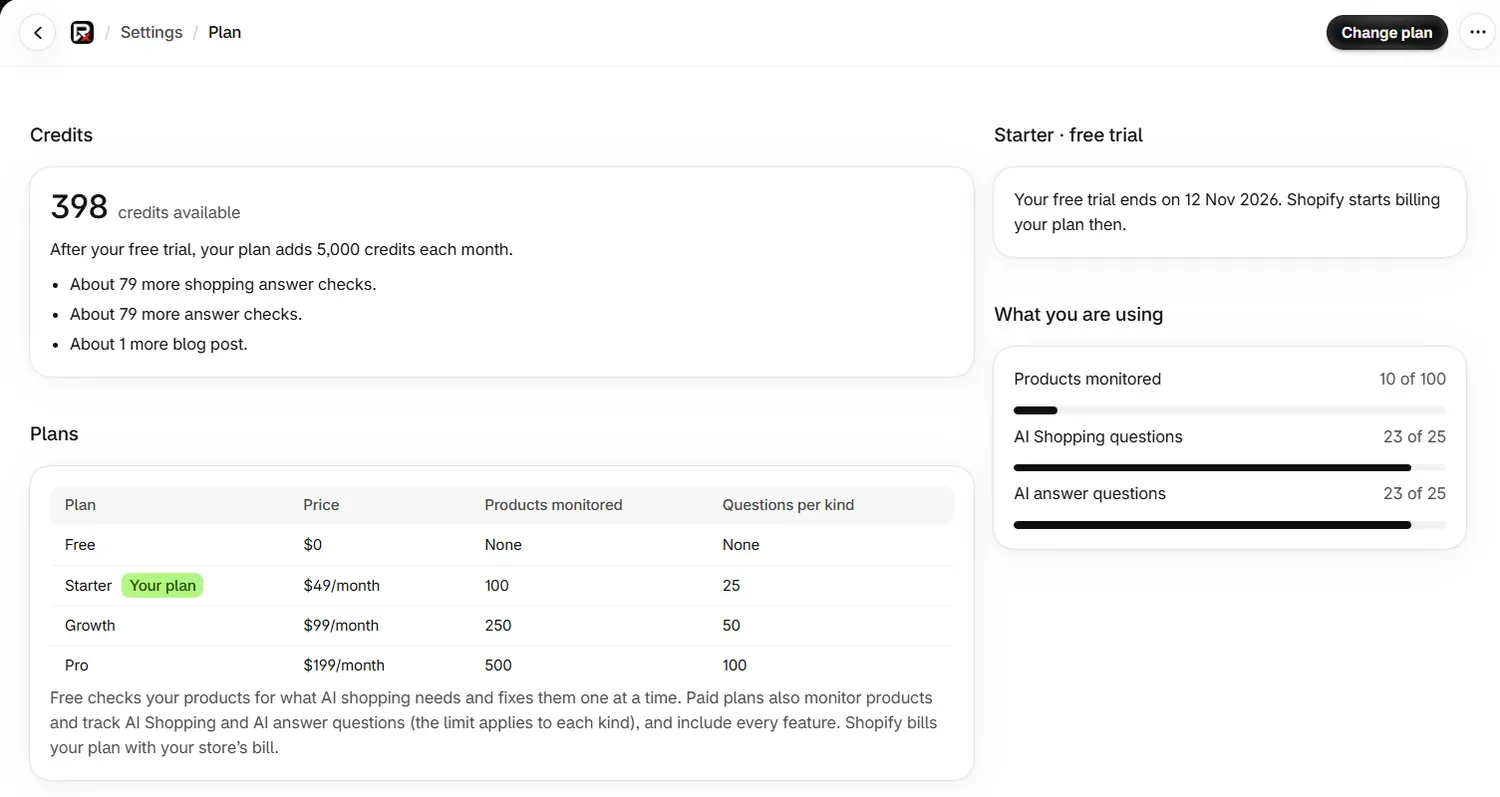
Open Settings, then press See plans and credits.
| Section | What it shows |
|---|---|
| Credits | Your balance, what your plan adds, and about how much more work that covers |
| Plans | Prices and limits, with Your plan marked |
| Card on the right | Your plan's state, such as when your free trial ends |
| What you are using | Products monitored, AI Shopping questions and AI answer questions against your limits |
On Free, your allowance is the free check, which uses up to 10 products and 3 questions every 4 weeks.
Common problems
| What you see | Cause | Fix |
|---|---|---|
| "Shopify is still confirming your plan. Reload this page in a minute to see it." | Shopify has not yet told the app about your choice. | Reload in a minute. You do not need to approve again. |
| "Choose a plan to start your free trial. This is included in every plan." | You have no plan yet. | Press See plans. |
| "Trial credits come once per store, so your monthly credits arrive with your first bill." | Your store has had its trial credits. | Nothing to fix. Credits arrive with your first bill. |
| "This needs 25 credits and you have 10." | Your balance is too low. Nothing was charged. | Wait for your next credits or move to a bigger plan. |
What to do next
- See what setup does once your plan starts.
- Read plans and billing to change or cancel a plan.
- Read credits for every price.
Questions
How does the RankX AI free trial work?
Choosing any paid plan starts a 7-day trial. New stores get 1,000 credits, once per store. Shopify bills you only if you keep the plan after 7 days.
Can I use RankX AI for free?
Yes. The Free plan costs $0 and includes the product check, fixes, bulk fixes, templates and undo, plus a free AI check every 4 weeks.
Can I buy more credits on Shopify?
There are no top-ups on Shopify. Credits come with your plan each month, so a bigger plan is the way to get more.
What currency is the plan billed in?
Plans are priced in USD and Shopify bills them on your store's bill. Shopify may show an estimate in your local currency on its plan page, with a note about the exchange rate.
Last updated