Competitor stores
See which stores AI answers show, their share, and what their products have that yours do not.
The Competitors tab shows the stores whose products appeared for your shopper questions, the brands AI assistants named, and the sites they read. It is built from your own checks, so it shows who was there for your questions, over the last 28 days. Use it to see who is taking the place you want, then open a question to see why.
Go to AI search and select Competitors.
Before you start
- Plan: every plan can open this tab. It shows whatever your checks have found, so Free stores see results from the free check.
- Credits: none. The tab only reads results you already have.
- Timing: results are counted in overnight totals, so the tab fills in after the first night of checks.
What does "What this means" say?
The first section, What this means · last 28 days, sums up the tab in a few sentences. One names the store seen most often on each shopping result beside your own store, in the form "ChatGPT Shopping: a store appears in 40% of answers that showed products; your store in 5%."
Another names sites that are not your competitors and that AI reads anyway. A review, a listing or a mention of your store on those sites is something AI can quote.
How do I read the store tables?
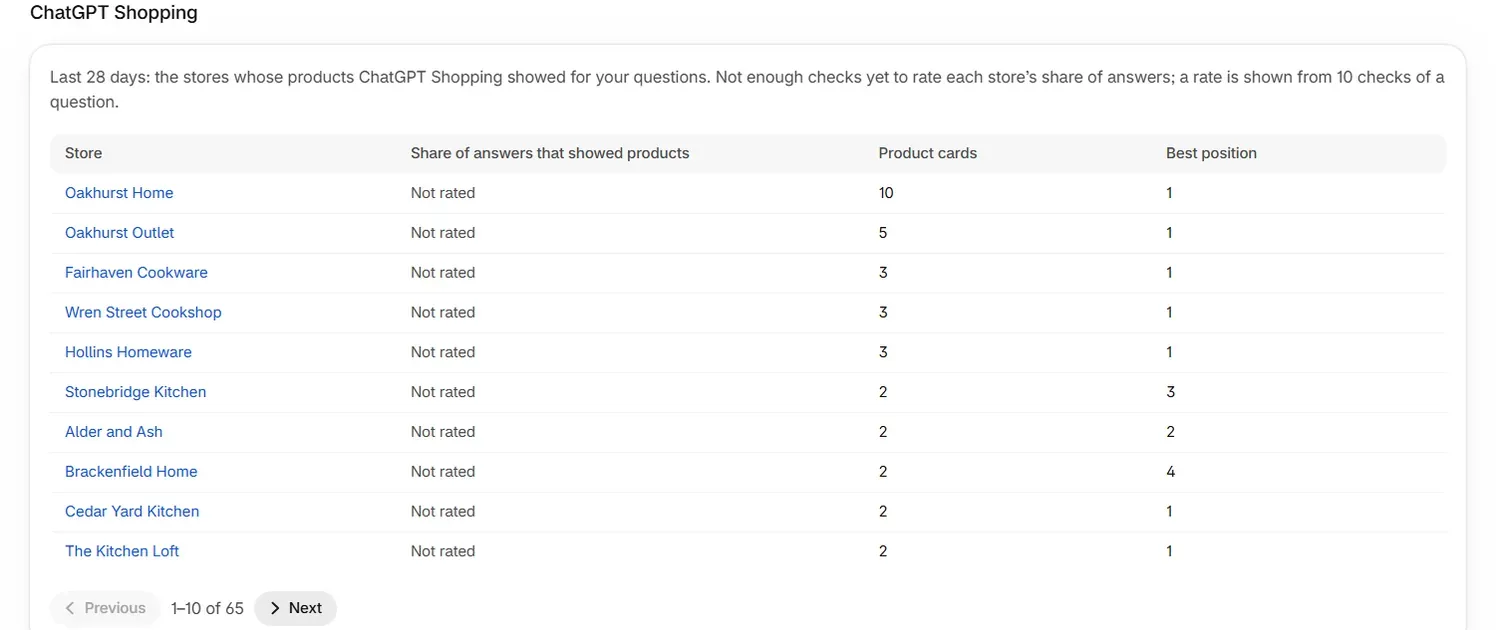
There is one table for each shopping result, such as ChatGPT Shopping, with the stores whose products it showed for your questions. Your own row comes last, marked You.
| Column | What it shows |
|---|---|
| Store | The store. Its name links to its site when a website is known |
| Share of answers that showed products | For example "8 of 20 answers (40%, likely 22% to 61%)". The likely range is where the true rate probably sits |
| Product cards | How many of that store's products these answers showed |
| Best position | Its highest place among those products. A dash means none were counted for that store |
Until a question has 10 checks, a store's share reads Not rated, and the section says "a rate is shown from 10 checks of a question". The store is still listed with its cards and position.
A question that shows products on under 10% of checks is left out of share.
How do I see the stores for one question?
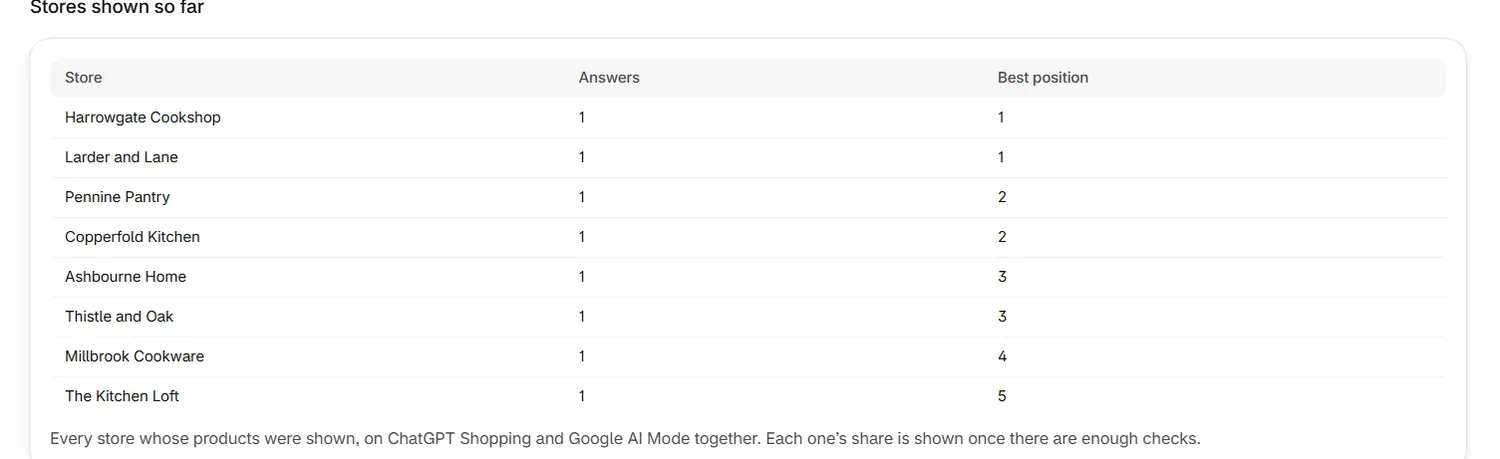
Open a question from Shopper questions. Before there are enough checks for rates, its page has Stores shown so far.
| Column | What it shows |
|---|---|
| Store | Every store whose products were shown, on ChatGPT Shopping and Google AI Mode together. "(ranked above you)" after a name means that store was placed above yours |
| Answers | How many answers it was in |
| Best position | Its highest place in those answers. A dash means none was counted |
Once there are enough checks, Stores shown on ChatGPT Shopping and Stores shown on Google AI Mode replace it with bars for up to 6 stores plus your own. The bar is the rate seen, and the line under it is the likely range.
What do their products have that mine do not?
Each question's page has four sections that compare the products shown with yours.
What the products that appeared have in common
The app looks at the titles of the products shown and names a detail they state and yours do not, such as a size or a material. Treat it as a likely reason from what the winning products say, and not as a proven cause.
Why Google AI Mode showed these products
Google AI Mode gives reasons in its answers. The table shows Product, Store and Why it was shown, in its own words and with the date of the answer.
Prices in these answers

This gives the range the other stores sold at, how many prices it is based on, and your own price when known. It appears once there are 3 or more prices from other stores, in your store's currency only.
What these answers compared on
| Column | What it shows |
|---|---|
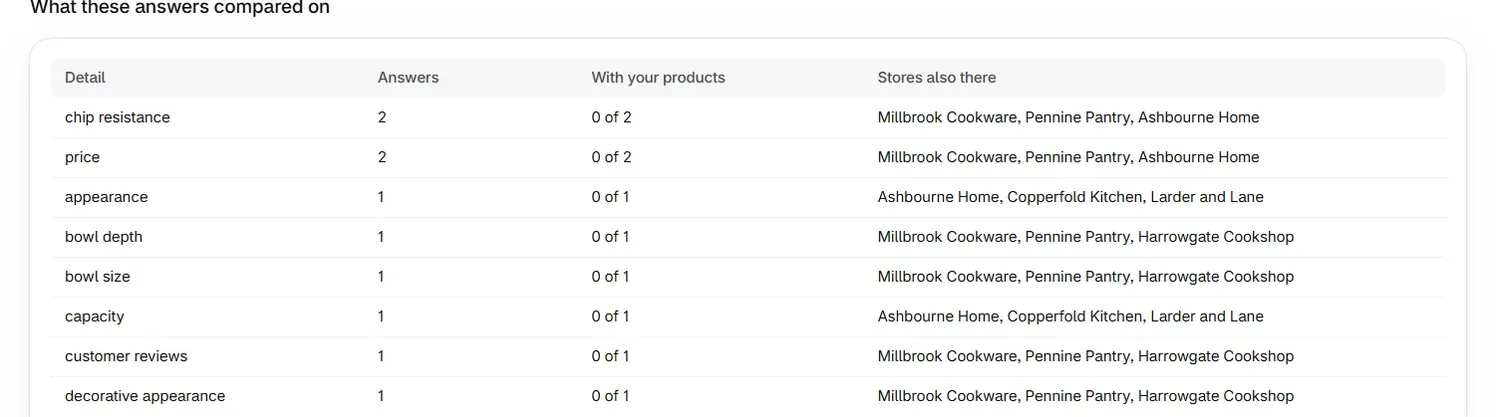
| Detail | Something the answers weighed up, such as price or capacity |
| Answers | How many answers mentioned it |
| With your products | How many of those answers included your products |
| Stores also there | The other stores in those answers |
A detail with a low count under With your products is worth comparing with your own listing. If your listing already covers it, make sure it says so plainly. To rewrite a listing for a question, use Improve a listing for this question, described in Read your results.
What do the brands and sites tables show?
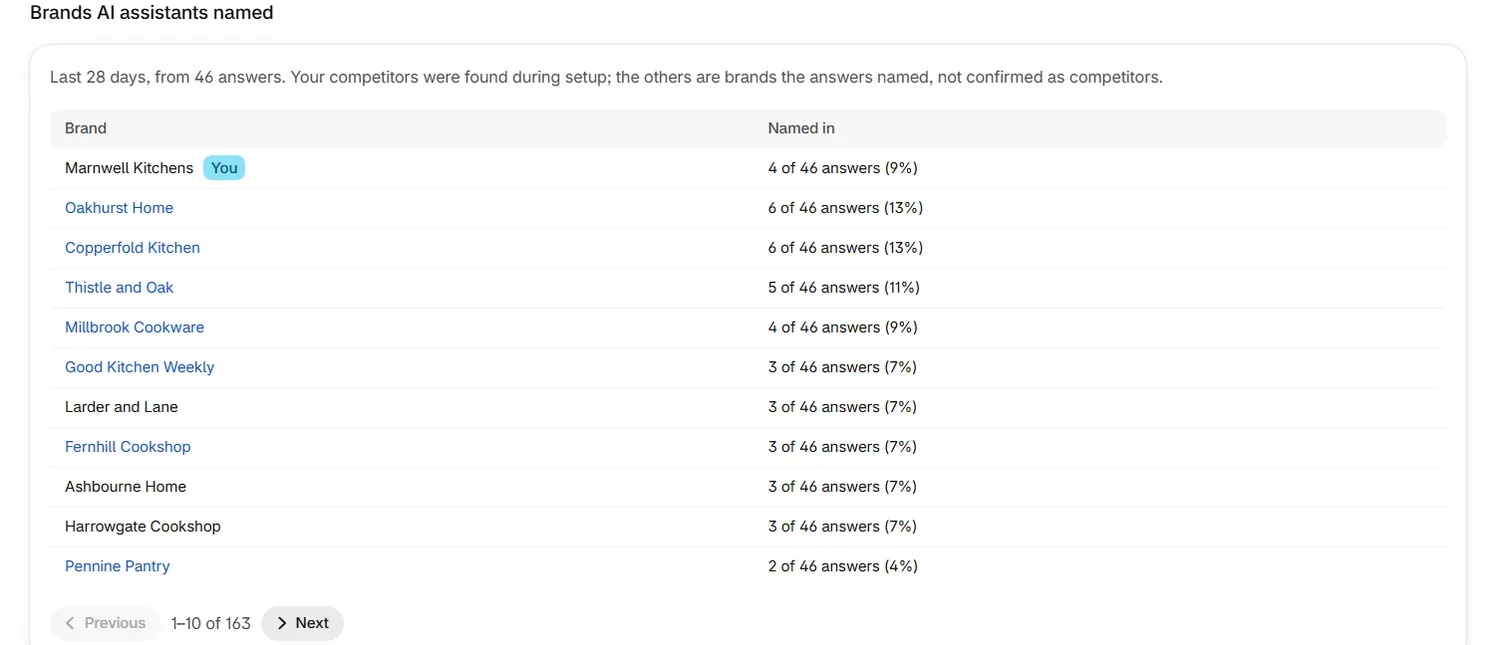
Brands AI assistants named covers the last 28 days, up to the newest 3,000 answers. Named in reads like "12 of 200 answers (6%)". Brands marked Your competitor were found during setup. The others are brands the answers named, and they are not confirmed as competitors.
Sites AI assistants read lists the sites the answers drew on, with Used in showing how often. Badges mark Your site and Your competitor. A site here that is neither may be a review site or a publication, and being mentioned there gives assistants something to quote.
Common problems
| What you see | Cause | Fix |
|---|---|---|
| "No other stores have appeared in the products shown for your questions yet." | No check has been counted yet, or your questions show no products | Look again after the first night, and use category and product questions |
| "No brands have been named in your answers yet." | No answers have been counted yet | Look again after the first night |
| "No sites yet." | Assistants have not answered your questions yet | Look again after the next check |
| A store's name has no link | No verified website is known for it | Search for the store yourself |
| Every store says Not rated | Your questions have fewer than 10 checks | Rates appear as checks add up |
| "We could not read your competitors just now." | The page did not load | Reload the page. It is a loading problem and says nothing about your store |
What to do next
Questions
Can I add a competitor myself?
The Competitors tab lists the stores and brands your checks actually found, so there is nothing to add. Your competitors found during setup are marked Your competitor in the brands table.
Does the Competitors tab use credits?
No. It reads the results of checks you have already run, so opening it is free.
Why is the Competitors tab empty?
Results are counted in overnight totals, so the tab fills in after the first night of checks. It also needs at least one question that showed products.
Why does a store say Not rated?
A rate appears from 10 checks of a question. Until then the store is listed with its product cards and best position, and its share reads Not rated.
Last updated