Did it work? Changed and unchanged products
How RankX AI compares products you changed with products you left alone, and how to read the result.
"Did it work?" shows what happened after you changed a product. It answers two questions: is the issue gone from your product check, and did the changed products appear more often in ChatGPT shopping answers than the ones you left alone? Comparing against unchanged products helps separate your change from everything else that moved in those weeks.
Before you start
- Plan: the Your product check half is free on every plan, including Free. The ChatGPT shopping answers half is part of the paid plans and the free trial.
- Credits: none. Reading a result is free.
- Monitored products: the comparison only covers monitored products, so monitor a product before you change it, and leave some products unchanged.
How do I see the result of a fix?
Open Changes
Go to Settings, then select See every change.
Find the fix
Stay on Fixes and results, where each row is a fix with its date.
Open the result
In the Did it work? column, select See result. You will see "Reading the checks before and after…" and then both halves.
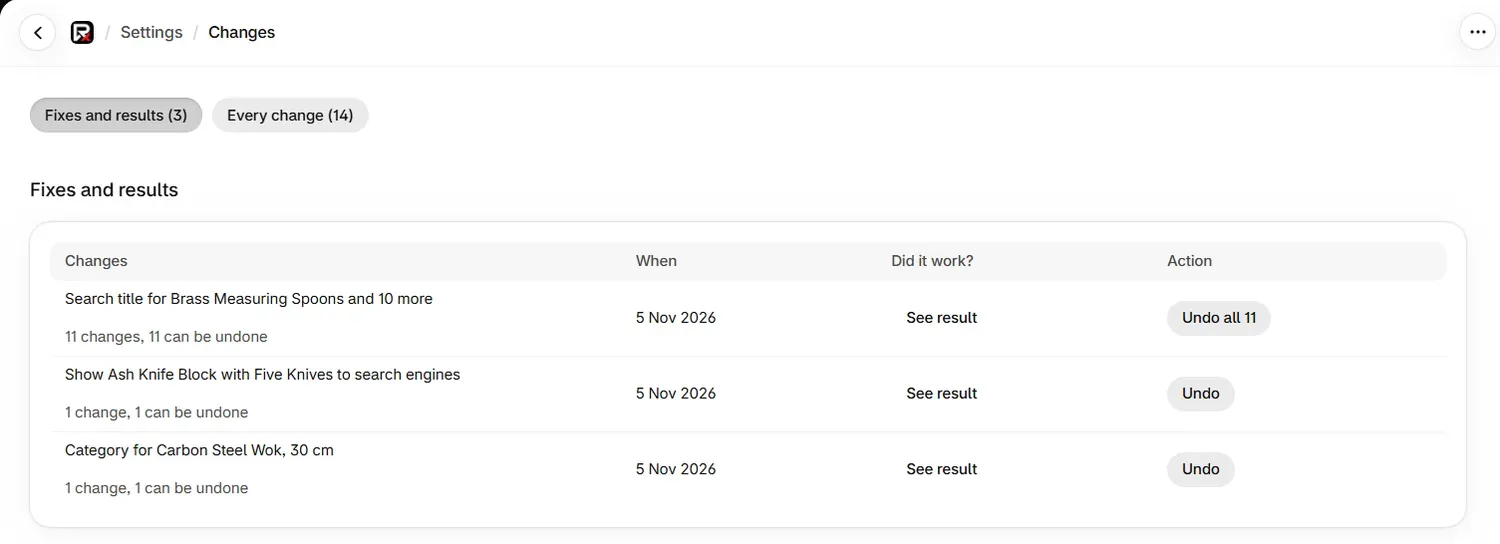
Some rows show a label in place of See result.
| Label | Meaning |
|---|---|
| Not applied | The change did not reach your store |
| Undone | The change was undone |
| Not a product change | The change was to something other than a product |
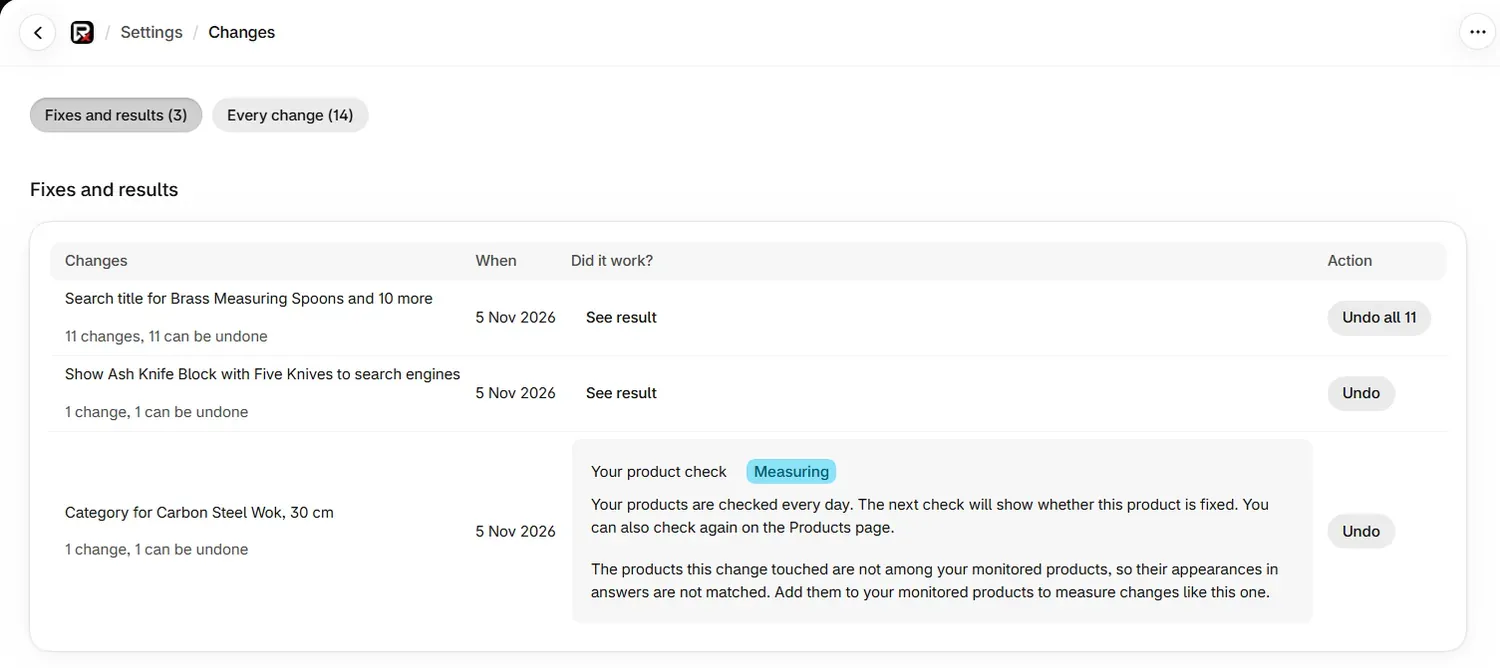
What does "Your product check" show?
This half reads your latest product check. Products are checked every day, so the answer usually comes the next day. You can also check again on the Products page.
| Badge | Meaning |
|---|---|
| Fixed | Every changed product is now clear of the issue |
| 3 of 5 fixed | Some are clear, and the line says how many still have the issue |
| Measuring | The next check will show whether the products are fixed |
If the line says none of these products are in your latest product check any more, they have been deleted or are no longer active.
How does the ChatGPT comparison work?
The ChatGPT shopping answers half compares two sets of your monitored products: the ones this fix changed, and the ones it left alone. For each set, it counts how often your store's card for those products appeared in ChatGPT answers that showed products.
| Rule | Value |
|---|---|
| Period before the change | 28 days |
| Period after the change | 28 days |
| Checks needed | 10 ChatGPT checks that showed products before, and 10 after |
| When the result appears | Once the 28 days after the change are over |
If your unchanged products rose as much as your changed ones, your fix gets no credit for that. Only the difference between the two sets counts. The result looks at ChatGPT Shopping alone, because Google AI Mode shows which store an offer is from and not which of your products it is.
Days when ChatGPT was showing products unusually rarely are left out, and a line tells you how many checks that removed.
What does each result mean?
| Badge | Meaning |
|---|---|
| Appeared more | The changed products did better than your unchanged ones, by more than the noise |
| Appeared less | The changed products did worse than your unchanged ones, by more than the noise |
| No measurable change | Any difference is within the noise |
| Measuring | The 28 days after the change are still running |
A measured result reads like this: "The changed products appeared in 9 of 30 answers after the change (4 of 28 before); your unchanged products went from 6 of 28 to 7 of 30." It may go on to say the change is worth about 12 more appearances in every 100 answers, with a likely range.
Other things also change over 8 weeks, such as competitors, prices and the assistants themselves. Treat Appeared more as an observation and not a proof. The footer names the products changed, how many unchanged products were compared and the dates.
What if there is no comparison?
| What you see | Meaning | What to do |
|---|---|---|
| "Measuring. Checks that showed products: 6 of 10 needed before the change, 3 of 10 needed after it." | The count so far. The comparison appears once the 28 days are over and both sides are full | Keep your questions active |
| "Not enough checks to measure this change." | Too few checks showed products to reach 10 on one side. The period before a change is already over, so a short count there cannot grow | Keep checks running so your next fix has 10 checks behind it |
| "Every monitored product was changed, so there is nothing to compare against." | No unchanged products were left | Leave some products unchanged next time |
| "The products this change touched are not among your monitored products" | Their appearances in answers are not matched | Add them to your monitored products to measure changes like this one |
| "This change was to a page, an image or a redirect rather than a product" | There is no product to compare | Nothing to do |
| "This change was undone, so there is nothing to measure." | The fix was undone | Nothing to do |
| "Measuring whether a change shows up in ChatGPT shopping answers is part of the paid plans" | You are on Free | Choose a plan to compare your next fixes |
How do I give a fix the best chance of being measured?
- Monitor your important products before you change them.
- Change some products and leave similar ones alone.
- Use questions that show products often, so 10 checks arrive sooner. Weekly checks give about 4 checks of each question in 28 days, so a measurable result usually needs several questions or a faster schedule.
- Leave the fix in place for the full 28 days. Undoing it ends the measurement.
Common problems
| What you see | Cause | Fix |
|---|---|---|
| Measuring after a few days | The result waits for the 28 days after the change | Come back when they are over |
| "We could not measure this change just now." | The result did not load | Select See result again |
| The product check says Fixed and the comparison says No measurable change | The issue is gone, and no difference has shown up in answers | Both can be true. Fixing an issue does not guarantee a product is shown |
What to do next
Questions
How long until I see whether a fix worked?
The product check half updates after the next daily product check. The ChatGPT comparison appears after the 28 days following your change, provided there were at least 10 ChatGPT checks that showed products on each side of it.
Does Did it work? use credits?
No. Selecting See result only reads results you already have, so it is free on every plan. The ChatGPT comparison is part of the paid plans.
Does Appeared more prove my fix caused it?
No. It means the changed products did better than your unchanged ones by more than the noise. Other things also change in that time, so read it as an observation and not a proof.
Why does it say every monitored product was changed?
The comparison needs some monitored products you did not change. Leave some unchanged, or add more monitored products, to measure your next fix.
Last updated