Your account and store connection
The Shopify app makes its own account. How it relates to the RankX AI web app, projects and staff.
You do not need a RankX AI account to use the Shopify app. Installing the app creates an account for your store, and you and your staff use it inside your Shopify admin. There is no password to remember, and your Shopify login is what lets you in.
Before you start
- Every plan, including Free.
- A Shopify login that is allowed to open the app.
Do I need a RankX AI account?
No. On first open, RankX AI creates everything your store needs: one account, one website project, the connection to Shopify and a brand profile named after your store. All of it lives inside the app, and you reach it from Apps in your Shopify admin.
How does the app relate to the RankX AI web app?
The Shopify app and the web app at app.rankxai.com are separate products with separate accounts, plans and credits. A Shopify store runs everything inside the Shopify app, with Shopify billing the plan.
- Signing up on the web with a Shopify store. The web signup detects the store and shows Your store gets the Shopify app, with a button to install it. No web account is created.
- Already a web customer. There is no step that links or merges a web account with the app. Your web account carries on as it is, and the app has its own account for your store.
Shopify integration has a short overview of how Shopify fits with RankX AI.
Who on my team can use the app?
Shopify decides who can open the app, through the access you give each staff member and collaborator. Each person gets access the first time they open the app, and everyone has the same access. There are no separate roles to set up in RankX AI.
Changes records what was changed. The one place the app treats people differently is the Agency card in Settings, where only the store owner can confirm an agency link.
Staff use RankX AI inside the Shopify admin. Their access does not extend to app.rankxai.com.
How do I check my store is connected?
Open Settings
Go to Settings and find the Your store card at the top.
Read the badge
The badge sits beside your store name, with your store's address underneath.
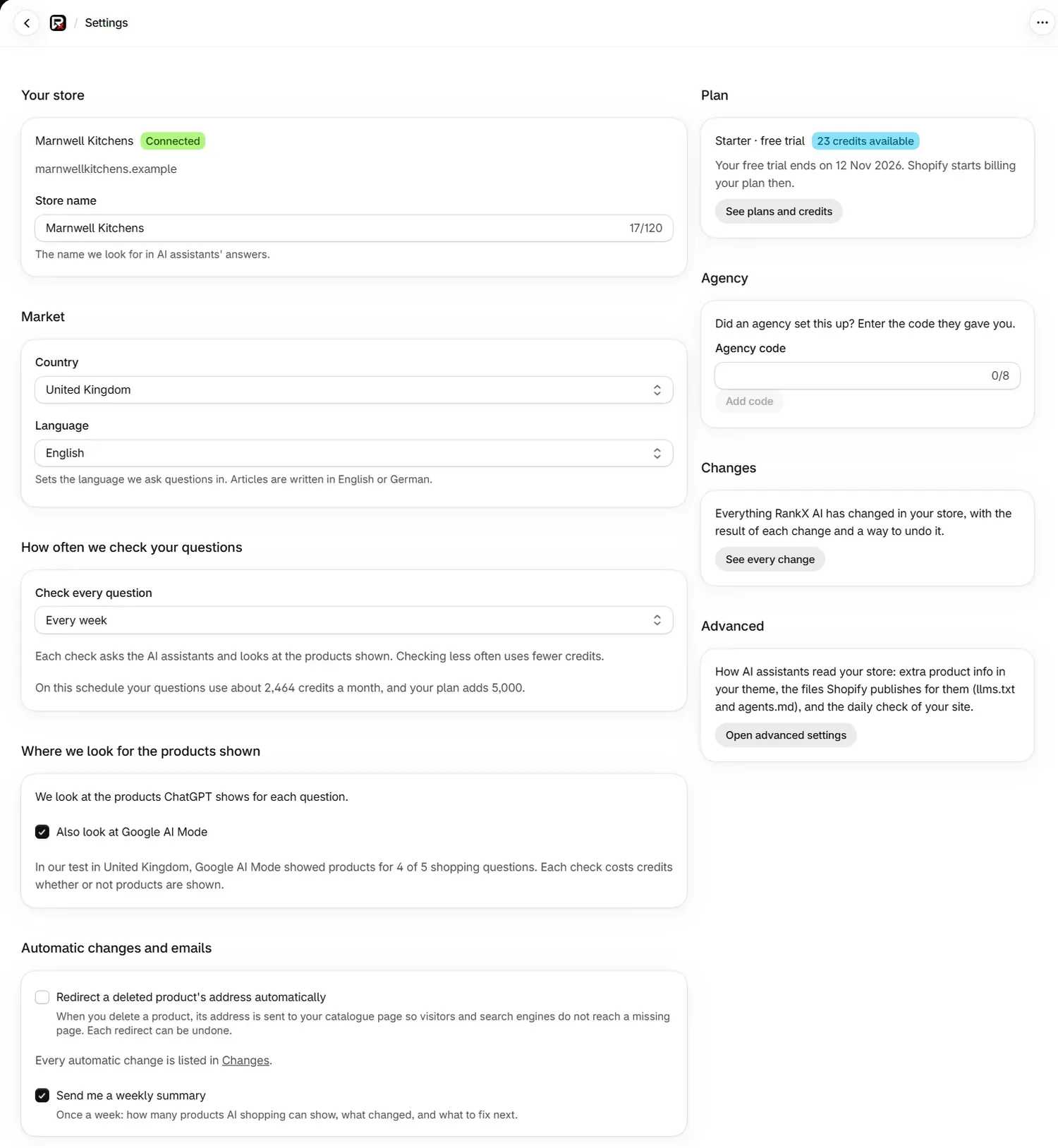
| Badge | What it means |
|---|---|
| Connected | RankX AI can read and write to your store. |
| Not connected | The connection has gone. Reopen the app from your Shopify admin to connect it again. |
| Connection not read | The app could not read the connection just now. Reload the page. |
Elsewhere in the app the same state can read Needs reopening, and the fix is the same: close the app and reopen it.
How do I reconnect my store?
Close the app
Leave RankX AI by opening another page in your Shopify admin.
Reopen it
Open RankX AI from Apps in your Shopify admin. The connection renews as the app loads.
Check Home
The Reconnect your store banner goes away, and Settings shows Connected.
Reconnecting changes nothing on your store and costs nothing.
Common problems
| What you see | Cause | Fix |
|---|---|---|
| Reconnect your store: "Close and reopen RankX AI from your Shopify admin to reconnect." | Shopify asked for the connection to be renewed. | Close the app and reopen it from your Shopify admin. |
| "Your store is not connected. Reopen the app from your Shopify admin." | The connection has gone. | Reopen the app from your Shopify admin. |
| "We could not reach your store just now. Please try again." | A brief problem opening a session with Shopify. | Try again. |
| "We could not read your store connection just now. Please try again." | A brief read problem on our side. | Try again. |
| "Your session ended. Reload the app." or "Session expired" | The page has been open a long time. | Reload the app. |
| "Not available" | Your store has not finished connecting. | Reopen the app from your Shopify admin. |
| "We can't check your store policies yet" in Advanced | The app is waiting for you to approve updated permissions. | Reopen the app from your Shopify admin and approve them. |
What to do next
- Choose a plan for your store.
- See every setting in the app.
- Find more fixes under troubleshooting.
Questions
Do I need a RankX AI account for the Shopify app?
No. Installing creates an account for your store, and you use the app inside your Shopify admin. You never create a password for it.
Can I link the Shopify app to my RankX AI web account?
No. They are separate accounts with their own plans and credits. A Shopify store runs everything inside the app.
Can my staff use the app?
Yes. Anyone your Shopify store lets open the app can use it, and each person gets access the first time they open it. Everyone has the same access.
How do I reconnect my store?
Close RankX AI and reopen it from your Shopify admin. That renews the connection.
Last updated