RankX AI Shopify app
What the RankX AI Shopify app does, who it is for, and a guide to every screen, setting and plan.
The RankX AI Shopify app checks whether your products can be shown in AI shopping answers and Google, helps you fix what stops them, and shows which stores AI assistants pick for the questions your shoppers ask. It runs inside your Shopify admin and installs from the Shopify App Store. Shopify bills your plan on your store's bill.
What does the RankX AI Shopify app do?
The app covers four jobs, and you can use as many of them as you like:
- Check your products. A free product check reads your products every day and lists what stops AI shopping and search engines from showing them: missing categories, barcodes, images, search fields and more.
- Fix them. You change a category, barcode, search title or alt text from the app, one product or many at once. RankX AI reads each change back from your store to confirm it, and lists it in Changes.
- See what AI assistants do. Your shopper questions go to ChatGPT, Gemini and Perplexity, and RankX AI looks at the products ChatGPT Shopping and Google AI Mode show for them, including which competing stores appear.
- Write and make content. AI-written search listings, alt text and blog posts in English or German, and new product photos made from your own images.
Who is the app for?
The app is for merchants who run a store on Shopify and want to know how it appears in AI answers and search. You use it inside your Shopify admin, with no separate login. If an agency set up the app for you, it can link itself to your store with an Agency code.
Where is everything in the app?
The menu has six items. The app name, RankX AI, opens Home.
| Menu item | What you do there | Read more |
|---|---|---|
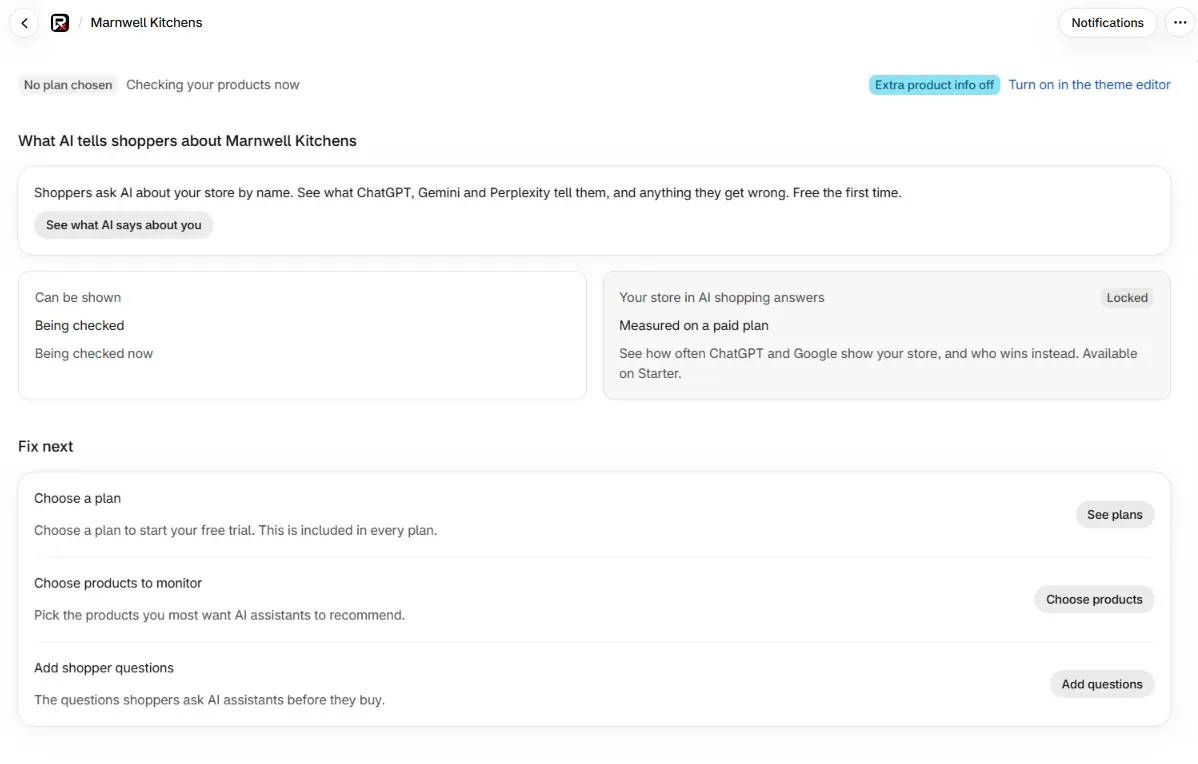
| RankX AI (Home) | See your plan, what can be shown, and what to fix next | First-time setup |
| AI search | Shopper questions, What AI says about you, Competitors | Add shopper questions |
| Products | The product check, fixes, templates and monitored products | The product check |
| Image studio | Studio, on-model and in-action photos of your products | Image studio |
| SEO | Your SEO score, listings, redirects, content check and rich results | SEO score and overview |
| Blog | Write, review, schedule and publish articles | AI-written blog posts |
| Settings | Store name, market, schedule, Plan, Advanced and Changes | Settings |
Notifications is the button at the top right of Home.
What is free and what needs a paid plan?
Paid plans share the same tools. They differ in credits, limits and a few Image studio options, which plans and billing compares.
| Feature | Free | Starter, Growth and Pro |
|---|---|---|
| Price | $0 | $49, $99 or $199 a month, or $490, $990 or $1,990 a year |
| Product check, every day | Included | Included |
| Category, barcode and visibility fixes, one at a time or in bulk | Included | Included |
| Auto-fix templates | Included | Included |
| Changes and undo | Included | Included |
| Alt text and small image checks | Included | Included |
| Search titles, broken links and redirects you edit yourself | Included | Included |
| SEO score, content check and rich results | Included | Included |
| Google Search Console in the app | Included | Included |
| Notifications and the weekly summary | Included | Included |
| AI checks | 3 shopper questions every 4 weeks | All your questions on your schedule, plus Check now |
| Shopper questions | Those used by the free check | 25, 50 or 100 of each kind |
| Monitored products | Up to 10, for the free check | 100, 250 or 500 |
| What AI says about you | First ask free | First ask free, then asked again every 7 days |
| AI-written listings, alt text and blog posts | Available on a paid plan | Included, paid for with credits |
| Image studio | One free studio photo | Included, paid for with credits |
| Credits a month | None | 5,000, 12,000 or 25,000 |
Where do I find help on a topic?
Get started
Install the app, see what setup does, and choose a plan.
Products
The product check, categories, barcodes, bulk fixes, templates and undo.
SEO
Your SEO score, search listings, redirects, content upgrades and rich results.
AI search
Shopper questions, checks, results, competitors and monitored products.
AI content
Blog posts, the blog schedule, AI listings, alt text and the Image studio.
Google Search Console
Connect your site and read clicks, searches and fix results in the app.
Account and billing
Plans, credits, settings and notifications.
Data and privacy
Permissions, what is stored, and what happens when you uninstall.
Help
Troubleshooting, error messages, frequent questions and a glossary.
What to do next
- Install the app from the Shopify App Store.
- Read what happens in the first minutes after you install.
- Compare plans, the trial and credits.
Questions
Is the RankX AI Shopify app free to install?
Yes. Installing is free and the Free plan costs $0. The product check, typed fixes, bulk fixes, templates and undo are free on every plan. Paid plans start at $49 a month, and new stores get a 7-day trial with 1,000 credits.
Do I need a RankX AI account to use the Shopify app?
No. Installing creates an account for your store, and you use the app inside your Shopify admin. See your account and store connection.
Can the app change my prices or stock?
No. The app writes categories, barcodes, search fields, alt text, redirects, listing copy, articles and photos you approve. Prices and stock stay as you set them in Shopify.
Which AI assistants does the app check?
It asks ChatGPT, Gemini and Perplexity your shopper questions, and it looks at the products shown by ChatGPT Shopping and Google AI Mode. See ChatGPT and Google AI Mode checks.
Last updated