Skip to content
RankX AI

AI Search Visibility Platform

See your Shopify store the way an AI assistant reads it.

RankX AI grades what an assistant can read about your Shopify store before you connect anything, then writes the fixes back to the store and checks that each one landed.

7-day free trial. No credit card required.

app.rankxai.com/shopping
Shopify agentic readinessWhat an AI assistant can read about this store, with no connection and no appSample data

68out of 100, weighted across the 11 checks that could be graded

6 passed, 2 warned, 3 failed. 2 of 13 could not be settled at all, and those score nothing in either direction rather than counting against the store.

A check RankX AI could not run is never reported as one that passed.

Everything not already passing7 of 13
  • failThe agent file says what the business is
  • warnProduct titles are specific
  • warnProducts carry a description
  • failProducts carry a category
  • failProduct images carry alt text
  • not assessedProducts carry ratings
  • not assessedPresence in the cross-merchant catalogue

Read from the agent file this store already serves and from the storefront endpoint every Shopify store answers on. The store and its figures are invented.

Two questions

A Shopify store raises two questions, answered in two different places.

One is about your products and whether an assistant recommends them. The other is about your store and whether an assistant can read it at all. This page is the second one.

Your products

Are my products recommended when someone asks what to buy?

Measured on ChatGPT Shopping and Google AI Mode, where the unit is the product card rather than a mention of your name. RankX AI matches the cards it sees against your own product list.

Answered from a product list, and a file is enough. It needs no shop platform at all.

How RankX AI measures product cards on AI shopping surfaces

Your store

Can an assistant read my store well enough to recommend anything?

A different question with a different answer. It covers what your store publishes to agents, what is missing from your products and collections, and what RankX AI can put right and confirm.

Answered from the store, and the first half of it needs no connection whatsoever.

The Shopify integration in full, including what it will not do

What it reads

Half of what RankX AI reads needs no connection, and it says which half.

Shopify gives every store an agent file and a storefront endpoint that anonymous agents can read. RankX AI grades 13 things from those alone. Everything past that point goes through your own Shopify app.

No connection, no app, nothing to install

Read from what your store already publishes for anonymous agents: the agent file at /agents.md, and the storefront endpoint every Shopify store answers on.

Whether your agent file says what you sell

Shopify writes one for every store, and its default describes the protocol rather than the business. RankX AI grades what is actually there against what a buyer needs to know.

Whether a shopper's question finds your products

Asked in your own service and keyword terms. A generic probe returns products from stores that sell nothing like them, so it proves nothing, and that is why the question is built from what you sell.

What a product looks like to an assistant

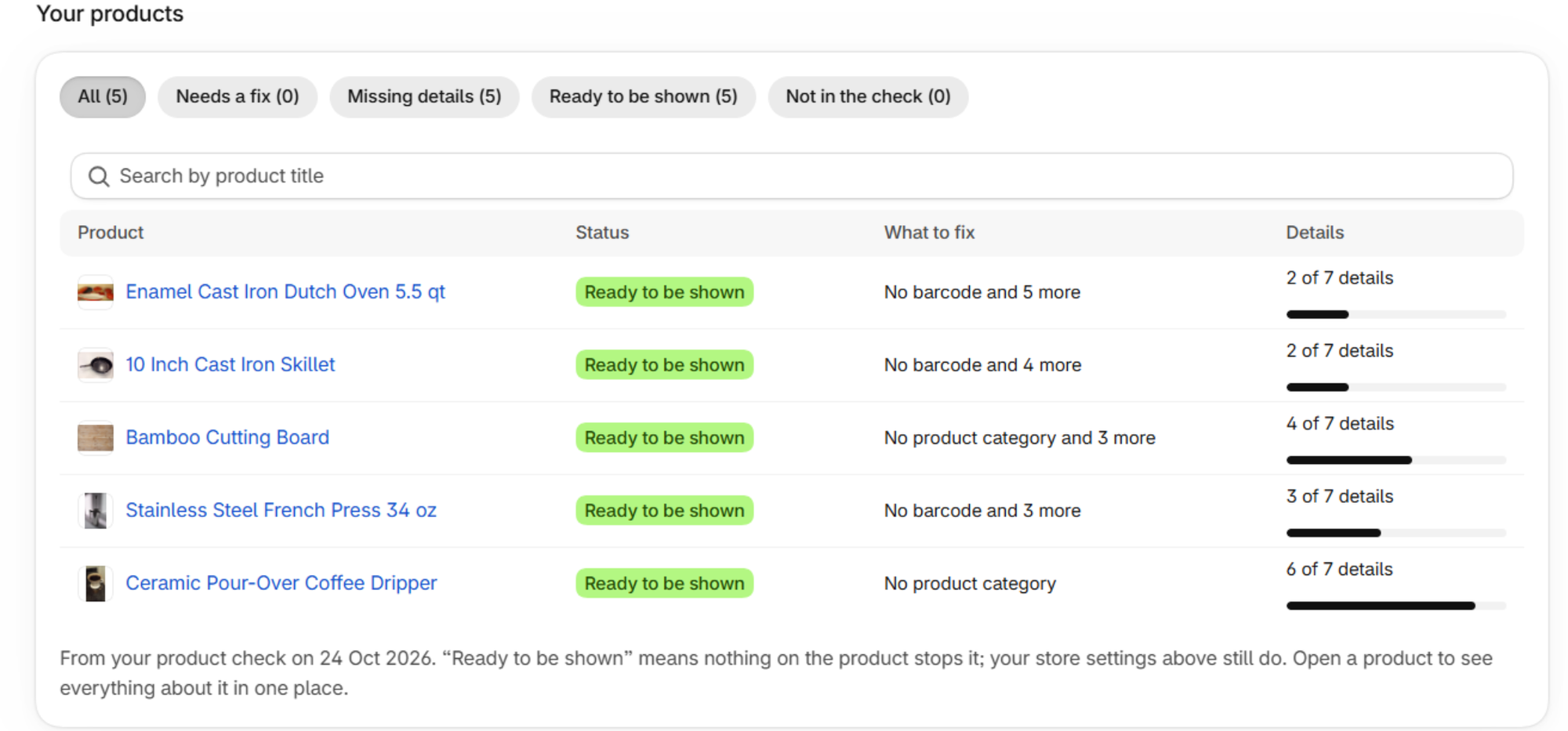
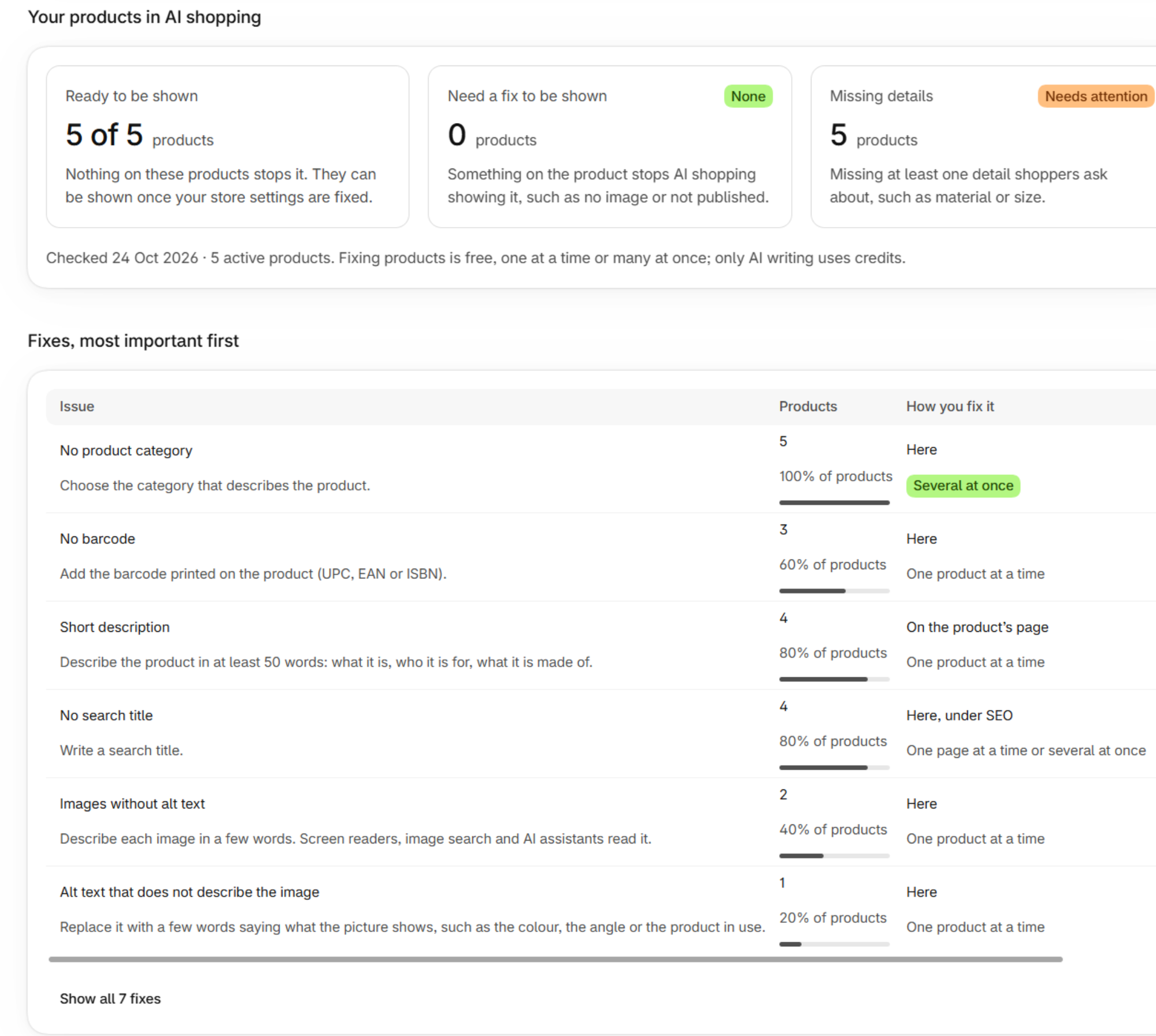
Title, description, category, image, alt text, price and availability, each read from the public product detail rather than inferred from the page.

Whether returns and delivery can be answered

The two questions a shopper asks immediately before buying, put to the store the way an assistant would put them.

Once your store is connected

Read through your own Shopify app, with the permissions you granted it, and reported with the number each count was measured against.

Products nobody can see

Unpublished, draft, archived or out of stock, each with the reason it is invisible and what to change.

Search titles and descriptions with gaps

Missing or over length, on products and on collections, counted separately because they are separate jobs.

Images with no alt text

Listed by file, with the real total stated when the list is capped, because a truncated list that claims completeness is worse than no list.

The fix, written back and checked

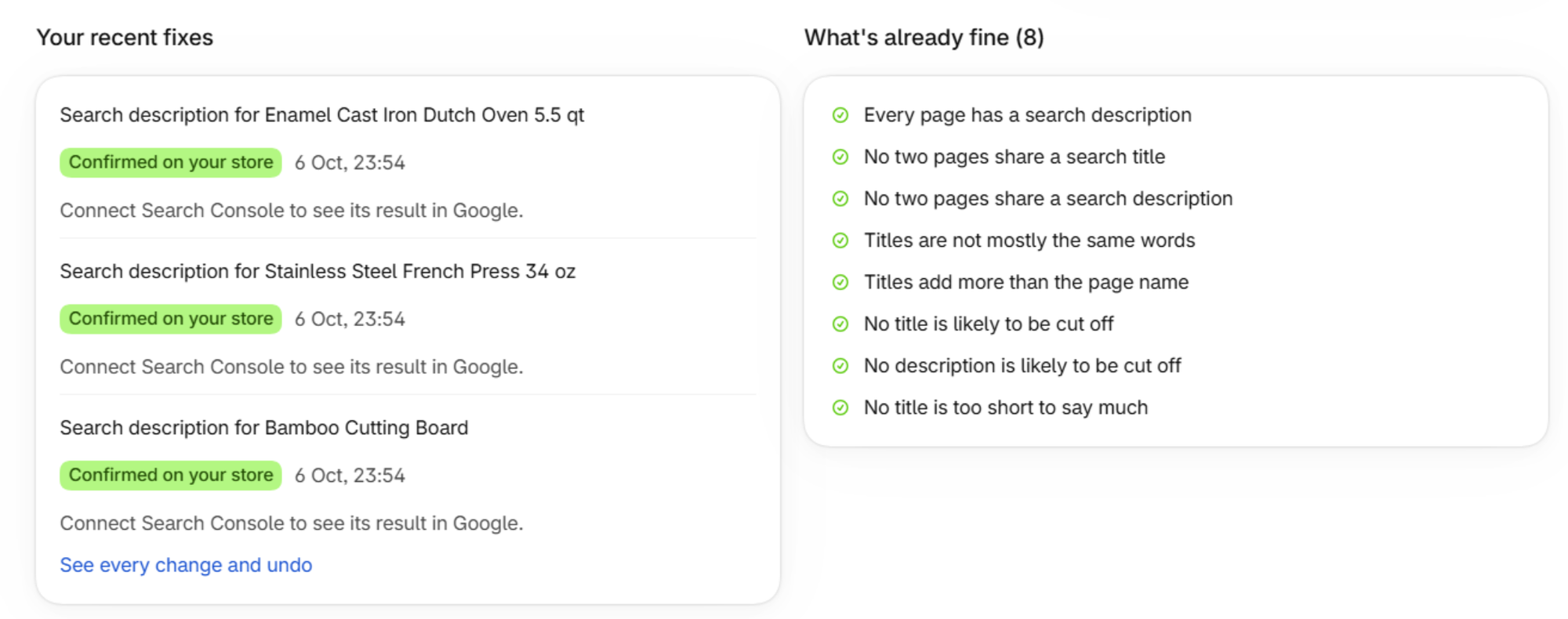
Search titles, meta descriptions and image alt text written to the store and read back to confirm they landed. Redirects created for addresses that are genuinely gone.

A check RankX AI could not run is reported as not assessed, with its reason, and it scores nothing in either direction. A password protected store, a store that is not on Shopify and a store that did not answer are three different results, and none of them is “your catalogue is empty”. All of this is reachable from an AI assistant too, through 6 Shopify tools on the RankX AI MCP server, every one of which sits behind the same permission, including the three that only read.

What it writes

A change to your store is read back and compared, and refused when it cannot be checked.

RankX AI writes search titles and meta descriptions, image alt text, redirects, and the description body. It never writes a price, a stock level, a status or a product address, and those are refused whatever asks for them.

  1. Read what is there now

    From the store itself, immediately before the change, never from a copy RankX AI already holds. A change built on a stale reading quietly undoes everything that happened since, and no amount of checking afterwards can catch it, because the store then matches exactly what was sent.

  2. Refuse if that reading failed

    A change RankX AI could not read the current value for does not happen. It is a refusal rather than a warning, because on a platform with no version history that reading is the only record of what the field held before.

  3. Show the before and after first

    Every change starts as a dry run, and the dry run is the same code with a flag rather than a second implementation of it. A preview that skipped the step most likely to fail would be the confident green light that causes the loss.

  4. Read it back and compare

    The comparison allows exactly what Shopify itself changes on the way in, the line breaks it adds between blocks and the characters it decodes, and nothing else. An escaped bracket is never treated as a real tag, so a table that went missing still fails. A change RankX AI cannot confirm is reported as unconfirmed, never as success.

There is no Shopify undo

Shopify keeps no version history for products, collections, pages or articles, so unlike WordPress there is no revision sitting behind a change for you to reach on your own. What exists instead is the value RankX AI read immediately beforehand, recorded so it can be put back. That record is the whole of the undo, which is exactly why a change RankX AI could not read the current value for does not happen at all.

Redirects are the one thing RankX AI can write on Shopify and cannot write on WordPress: no WordPress SEO plugin exposes a redirect list it can read back, and RankX AI does not ship a change it cannot check. Two Shopify rules travel with it, both stated on the result. A redirect only works on an address that is genuinely gone, and Shopify deletes it again by itself the moment that address starts working.

Connecting

Connecting a store is 6 steps, and 2 of them fail without saying so.

You create the app inside your own Shopify organisation, so there is no RankX AI app holding a credential for your store and no app review in the way. The order of the last two steps is what everyone gets wrong.

  1. Open the Shopify Dev Dashboard

    Pick the organisation that owns your store. The app and the store have to belong to the same one, and this connection does not work across organisations.

  2. Create an app, starting from the Dev Dashboard

    Give it a name. It is your app, in your organisation, so there is no RankX AI app for Shopify to review and no shared credential behind it.

  3. Paste the permissions into the Versions tab

    RankX AI shows the exact list with a copy button. It covers products, content and files, the channels a product is published to, and the one permission a redirect needs.

  4. Release the version

    Permissions do nothing at all until the version is released, and nothing on the screen tells you so. This is the step people skip.

    Fails without an error

  5. Install the app on your store, after releasing it

    Shopify fixes an app's permissions at the moment it is installed. Install before releasing and the installed copy holds none of them, releasing again does not reach back into it, and a custom app gets no prompt to fix it. The only cure is to uninstall and install again.

    Fails without an error

  6. Copy the Client ID and Client Secret into RankX AI

    From the app's Credentials screen. Reinstalling can issue a new secret, so check that screen again if you have just reinstalled.

The full walkthrough, including what to do when a connection says it has no permissions, is in the Shopify integration documentation and the connection troubleshooting guide.

Questions

What merchants ask before connecting a store.

Direct answers, including the two where the honest answer is no.

Do I have to connect anything to see how my store reads?

No, and this is the part worth trying first. The readiness report runs on what your store already publishes for anonymous agents, so it needs no app, no permissions and no setup: RankX AI reads your agent file and asks your storefront the questions a shopper would ask. It grades 13 things and tells you which of them it could not settle, rather than scoring those against you.

Why does RankX AI make me create the app myself?

Because the alternative is worse for you. The connection uses Shopify's client credentials grant, which only works when the app and the store belong to the same Shopify organisation, so the app has to be yours. That means there is no RankX AI app holding a credential for your store, no Shopify app review in the way, and nothing to revoke except your own app. The setup dialog carries all 6 steps and the permission list with a copy button.

It says my app connected but has no permissions. What happened?

Almost always the order. Shopify fixes an app's permissions at the moment it is installed, so if you released the permissions after installing the app, the installed copy still has none, and releasing again does not change that. Nothing in Shopify warns you, and there is no re-approval prompt for a custom app. Uninstall the app in your Shopify admin, check the Versions tab shows a released version with the permissions listed, then install it again and re-copy the credentials.

Can a change to my Shopify store be undone?

By RankX AI, yes. By Shopify, no. Shopify keeps no version history for products, collections, pages or articles, so there is no revision to roll back to the way there is on WordPress. What exists instead is the value RankX AI read immediately before the change, which is recorded so it can be put back. That is also why a change RankX AI could not read the current value for is refused outright rather than attempted with a warning.

What happens when a change cannot be confirmed?

It is reported as unconfirmed, and never as success. RankX AI reads the object back and compares it with what it sent, allowing exactly the formatting Shopify itself applies and nothing more. Unconfirmed does not mean the change failed: it may well have landed, and saying so is more useful than a status code that proves nothing. Plugins and platforms that return success while persisting nothing are common enough that the check is the point.

Does connecting Shopify fill my AI Shopping product list?

Not today, and it is worth being plain about. AI Shopping matches product cards against a product list, and the ways to fill that list are a connected WooCommerce store or a product file you upload. A Shopify product export is read as it comes, so nothing needs reformatting first, but the connection described on this page reads and fixes the store rather than populating that list.

Can I do all of this from the chat instead?

You can ask what is wrong, free. The three Shopify reads cost nothing beyond the message, so you can ask which products nobody can see, which are missing search titles and descriptions, and which images have no alt text. The chat will not change the store from the conversation. That is a deliberate limit rather than a missing feature: Shopify keeps no version history, so the only undo is the record RankX AI takes, and a change made against that record is not one to hand to an assistant acting on its own.

Which of these can an AI assistant run through MCP?

All of them, through 6 Shopify tools on the RankX AI MCP server. Every one of them sits behind the same permission, publish, including the three that only read, so a token granted read access alone cannot reach a Shopify store at all. That is deliberate: a token that can list a whole catalogue with a stored credential is not a read in the ordinary sense.

More detail in the Shopify documentation, and the measurement half in AI Shopping.

Start here

See where you show up in AI answers today.

Add your site and RankX AI suggests the prompts to track, monitors the keywords that matter and audits your pages, with your first results minutes after you finish setup.

Start Free Trial

7-day free trial. No credit card required. Cancel anytime.