Best ecommerce platform for SEO: 4 platforms compared
Shopify, WooCommerce, BigCommerce and Adobe Commerce compared on the same SEO criteria: URLs, robots.txt, sitemaps, filter handling, product identifiers and AI shopping. Includes a worksheet for choosing and a migration checklist.
 Published 11 minute read
On this page 11 sections
- The short answer: which is the best ecommerce platform for SEO?
- What must an ecommerce platform get right for SEO?
- Is Shopify good for SEO?
- WooCommerce for SEO: is it better than Shopify?
- Is BigCommerce good for SEO?
- Adobe Commerce (Magento) for SEO: who is it for?
- Shopify, WooCommerce, BigCommerce and Adobe Commerce side by side
- Which ecommerce platform fits your store?
- What does every platform need for AI shopping?
- How do you move platforms without losing traffic?
- Check one category on the platform you chose
Short answer: The best ecommerce platform for SEO is the one your team can control and maintain. Shopify and BigCommerce suit stores that want hosting, sitemaps and security handled for them. WooCommerce suits teams that want full URL and template control on WordPress. Adobe Commerce suits large catalogues with developers. Google ranks pages, so any of the four can rank.
The short answer: which is the best ecommerce platform for SEO?
Google ranks pages, and every platform here can produce pages that rank. The best ecommerce platform for SEO is the one whose defaults, control and upkeep match your team. Shopify and BigCommerce handle hosting and the core SEO files for you, while WooCommerce and Adobe Commerce give you more control and more maintenance.
Quick picks
- Shopify: a sound default for small and mid-size stores, with robots.txt and sitemap handled for you and fixed URL prefixes as the trade-off.
- WooCommerce: full URL and template control for a store on WordPress, if someone owns hosting, updates and speed.
- BigCommerce: hosted like Shopify, with flexible URL structures and B2B selling for larger catalogues.
- Adobe Commerce (Magento): large, multi-store or multi-language catalogues with developers on hand.
The platform details below come from each vendor's own documentation, read on 14 November 2026. Plans and menus change on every platform, so confirm each setting named here in your own admin before you decide.
What must an ecommerce platform get right for SEO?
An ecommerce platform must give you six things for SEO: editable URLs, control of robots.txt, an automatic XML sitemap, editable titles and canonical tags, product structured data with identifiers such as GTINs, and fast templates. Content and links come on top, and you build those on any platform.
- Editable URLs
Readable paths plus 301 redirects when they change
- Robots.txt control
Keep cart, checkout, account and filter URLs out of the crawl
- Automatic XML sitemap
Updates as products are added and removed
- Titles and canonical tags
Editable for every product and category
- Structured data and GTINs
Helps Google and AI assistants match products
- Fast templates
Theme, apps and images drive Core Web Vitals
Check every platform against the same six criteria before comparing price or design.
- Editable URLs. Short, readable product and category paths, plus 301 redirects when they change. A 301 redirect is a permanent move that sends visitors and search engines from the old URL to the new one.
- Robots.txt control. robots.txt is the file that tells crawlers which paths to skip. Stores use it to keep cart, checkout, account and filtered URLs out of the crawl.
- An XML sitemap that updates as products are added and removed.
- Titles, meta descriptions and canonical tags for every product and category. A canonical tag tells Google which of several near-identical URLs is the main one.
- Product structured data and identifiers. Product markup and a GTIN (the barcode number, such as a UPC or EAN) help Google and AI assistants match your product to the right listing. Our product page SEO guide covers the page itself.
- Fast templates. Core Web Vitals are Google's page experience measures for loading, responsiveness and visual stability. On every platform they depend heavily on theme, apps and images.
Where platforms differ most
Faceted navigation is a major difference. Filters for colour, size and price can create thousands of crawlable URLs, so filter handling gets its own row in the comparison below.
Is Shopify good for SEO?
Yes, Shopify is good for SEO, because its defaults handle the technical basics. Every store gets a robots.txt that keeps cart, checkout and account pages, sorted collection URLs and tag-filtered collection URLs out of the crawl, plus an automatic sitemap. The trade-off is fixed URL prefixes and no server access.
What Shopify does for you
Shopify's robots.txt help page (opens in a new tab) describes the default file as optimised for SEO. It disallows cart, checkout and account pages, sorted collection URLs and tag-filtered collection URLs; in Shopify's words, one "rule keeps sorted collection pages from being crawled". Open /robots.txt on your own store to see exactly which filter URLs it blocks, and check that your theme's canonical tag points filtered pages at the main collection URL.
You can change the defaults with a robots.txt.liquid theme template. Edit it only with a clear reason, because one wrong rule can hide whole collections from Google.
Every Shopify store also generates a sitemap.xml automatically, linking products, primary product images, pages, collections and blog posts. Shopify's sitemap help page (opens in a new tab) shows where to find it, and you submit it once in Google Search Console.
Where Shopify limits you
Shopify product URLs sit under /products/ and category pages under /collections/, and those prefixes cannot be removed. You can edit the handle after the prefix, and Shopify offers to create a redirect when you change it.
Products are also reachable through collection paths such as /collections/shirts/products/linen-shirt. Themes normally point the canonical tag at the /products/ URL, so check your theme's output rather than assume it.
Apps are the other limit. Each app can add scripts to the storefront, so review page speed after every install. Our Shopify SEO guide walks through the settings in order.
WooCommerce for SEO: is it better than Shopify?
WooCommerce is better than Shopify for SEO only if you will use its extra control. It runs on WordPress, so you choose the URL structure, edit templates and robots.txt directly, and pick your own host. That control arrives with the maintenance: updates, hosting speed and plugin conflicts become your job.
URL and template control
WooCommerce's Permalinks documentation (opens in a new tab), modified 19 May 2026, says: "You can choose from four permalink base options for your products." The four are the default /product/, the shop base, the shop base with category, and a custom base.
Category and tag bases default to product-category and product-tag, and both can be changed. Set them before launch, because changing a live base changes every matching URL at once and each one then needs a redirect.
WordPress has generated a basic XML sitemap at /wp-sitemap.xml since version 5.5. Many stores replace it with a plugin's sitemap, which is fine as long as only one is submitted to Search Console.
Product identifiers
WooCommerce has had a built-in GTIN field since version 9.2, entered in the product's Inventory tab. Its GTIN documentation (opens in a new tab) says: "If you are starting afresh, you can now add the GTIN data to your products in the inventory tab", and the Google for WooCommerce extension sends it to Google Merchant Center. That connection runs through the Google for WooCommerce extension.
What you take on
Hosting speed, caching, security updates and plugin compatibility belong to you or your host. A slow host or a heavy page builder can cost more than any SEO setting gains, so budget for maintenance as part of the platform choice.
Is BigCommerce good for SEO?
Yes, BigCommerce is good for SEO, particularly for hosted stores with larger catalogues or B2B buyers. It is software as a service, so hosting, security and the XML sitemap are managed for you. Unlike Shopify, it lets you choose the URL structure for products and categories, including paths without a fixed prefix.
What to check
BigCommerce's SEO Fields help page (opens in a new tab) says product, category and web page URL structures are set in Settings > URL Structure. The default, SEO Optimized (Short), uses the product's name, as in yourdomain.com/product-name, or you can build a Custom structure with placeholders. When you change the structure, you can choose to create 301 redirects for the old URLs.
Faceted search on BigCommerce can produce filtered category URLs. Check how your theme handles them, with canonical tags or robots.txt rules, before the catalogue grows.
Where it limits you
As on any hosted platform, you have no server access, and your theme and apps decide much of the page speed. Plan features and limits change, so compare BigCommerce's current plans directly before committing.
From RankX AISee which products ChatGPT Shopping and Google AI Mode show for your prompts.Repeat the same checks after a theme change, a new app or plugin, and a platform move.Start your free trialAdobe Commerce (Magento) for SEO: who is it for?
Adobe Commerce, the paid edition of Magento, suits large or complex catalogues that have developers to run it. It gives developers wide control: URL rewrites, store views per language or country, and sitemap and robots.txt settings in the Admin. The cost is build time, hosting and ongoing upkeep.
Magento Open Source is the free, self-hosted edition. Both share the same core SEO settings described here.
What you control
Adobe's SEO overview (opens in a new tab) says the URL Rewrite tool "lets you change any URL that is associated with a product, category, or CMS page", and its configuration includes settings for robots.txt; the site map settings (opens in a new tab) set update frequency and priority by content type. Store views let one catalogue serve several languages or countries.
What it costs you
Layered navigation, Magento's filter system, can create very large numbers of crawlable URLs. Plan canonical tags and robots.txt rules for it from the start.
Every upgrade, extension and hosting change needs developer time. Without that budget, the extra control goes unused and page speed drifts.
Shopify, WooCommerce, BigCommerce and Adobe Commerce side by side
Side by side, the four platforms differ most on hosting, URL control and who maintains speed. Shopify and BigCommerce host the store, handle security and generate sitemaps for you, while WooCommerce and Adobe Commerce give full control and hand you the upkeep. The table applies the same criteria to each platform, so you can compare row by row.
- Hosting and security
Hosted (Shopify, BigCommerce): Managed by the platform. Self-managed (WooCommerce, Adobe Commerce): You, your host or developers.
- XML sitemap
Hosted (Shopify, BigCommerce): Generated automatically. Self-managed (WooCommerce, Adobe Commerce): WordPress core, plugin or Admin setting.
- URL control
Hosted (Shopify, BigCommerce): Shopify: handle only; BigCommerce: custom structures. Self-managed (WooCommerce, Adobe Commerce): Full control of paths.
- Page speed owner
Hosted (Shopify, BigCommerce): Platform, plus your theme and apps. Self-managed (WooCommerce, Adobe Commerce): You and your host.
- Best for
Hosted (Shopify, BigCommerce): Teams without developers. Self-managed (WooCommerce, Adobe Commerce): Teams with developers or WordPress skills.
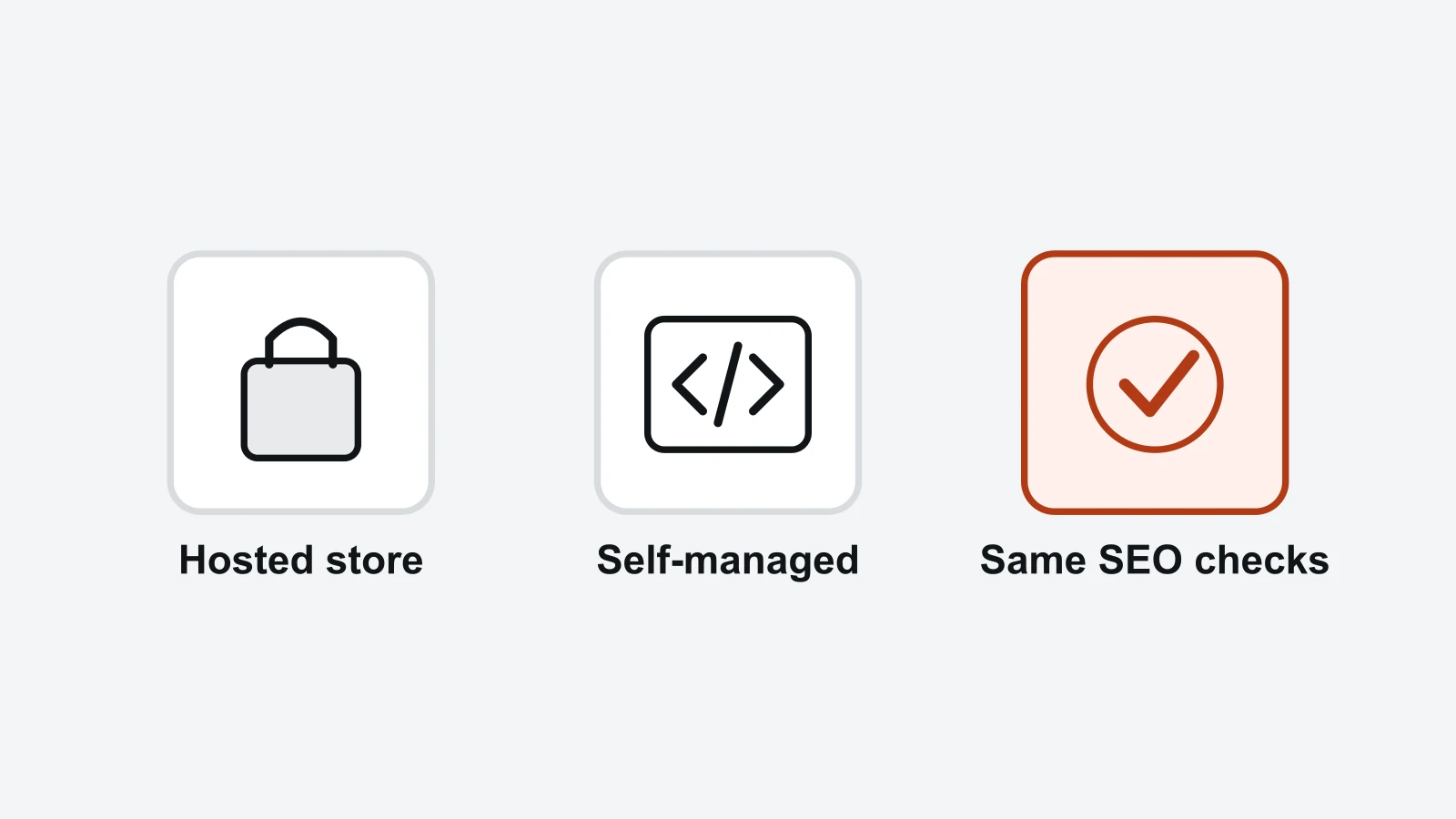
Hosted platforms handle the basics for you; self-managed platforms give more control and more upkeep.
Criterion | Shopify | WooCommerce | BigCommerce | Adobe Commerce |
|---|---|---|---|---|
Hosting | Hosted by Shopify | Your host, on WordPress | Hosted by BigCommerce | Your host or Adobe's cloud |
Product URL control | Handle only, fixed /products/ prefix | Four permalink bases, custom allowed | Preset or custom URL structures | URL Rewrite tool for any product, category or CMS page |
robots.txt | Sound default, edit via robots.txt.liquid | Edit directly | Edit in control panel | Edit in Admin |
XML sitemap | Automatic | WordPress core since 5.5, or a plugin | Automatic | Configured in Admin |
Filtered URLs | Default robots.txt blocks sorted and tag-filtered collection URLs | Depends on theme and plugins | Check theme handling | Plan for layered navigation |
GTIN field | Barcode field on product | Built in since 9.2 | Check product identifier fields | Check product attribute setup |
Who maintains speed | Shopify, plus your theme and apps | You and your host | BigCommerce, plus your theme and apps | You, your host and developers |
Best fit | Most small and mid-size stores | WordPress teams wanting control | Larger hosted catalogues, B2B | Large, multi-store catalogues |
No single row decides it. In short, the hosted pair suits teams without developers, and the self-managed pair suits teams with developers or WordPress skills. To take two illustrative cases, a 50-product store with no developer gains little from Adobe Commerce's rewrites, while an 80,000-product store in five languages may need them.
Other platforms such as Wix, Squarespace and PrestaShop also sell online stores. They sit outside this comparison, but the same criteria apply to them.
Which ecommerce platform fits your store?
The platform that fits your store is the one whose limits you will not hit in the next three years. Answer four questions: how big the catalogue will get, how many filters and languages it needs, who will maintain the code, and which feeds you must supply. The answers usually point to one or two platforms.
- Collection pages to rank
20 URLs
- Variants, one collection
120 URLs
- Variants, 20 collections
2,400 URLs
Illustrative example: 20 collections with 6 colours, 5 sizes and 4 sort orders produce 2,400 filter URLs against 20 pages that need to rank.
A four-step worksheet
- Size the catalogue. Write down products, categories, filters per category and languages, now and in three years.
- Name the owner. If no one can maintain hosting and updates, start with Shopify or BigCommerce.
- Count your filter URLs. Use the worked example below with your own numbers.
- Check the defaults on a trial store. Open /robots.txt, the sitemap, a product page's canonical tag and its structured data before you commit.
Worked example: counting filter URLs
Illustrative example: a clothing store has 20 collections. Each collection offers 6 colour filters, 5 size filters and 4 sort orders.
If every combination gets its own crawlable URL, one collection produces 6 × 5 × 4 = 120 variants, and 20 collections produce 2,400. Only the 20 collection pages need to appear in search.
On Shopify, the default robots.txt already blocks sorted and tag-filtered collection URLs; check your store's /robots.txt and canonical tags for the other filter URLs. On WooCommerce, BigCommerce and Adobe Commerce, confirm that your theme or extensions add canonical tags or robots.txt rules before launch.
To verify after launch, look for filter parameters in the Pages report in Google Search Console. Filtered URLs listed as indexed mean the rules need fixing.
What does every platform need for AI shopping?
Every platform needs the same three things for AI shopping: complete product data with identifiers such as GTINs, a product feed or structured data that AI assistants and Google can read, and crawler access for AI assistants. The platform matters less than whether those fields are filled and kept current.
Checkout depends on the assistant, the market and the platform
Where shoppers can check out inside an AI assistant depends on the assistant and the market, and on some platforms on a store setting: Shopify's ChatGPT channel, for example, is active by default for eligible stores and sends buyers to the store's own checkout (Shopify Help Center (opens in a new tab)). Our agentic commerce guide covers how that works and how stores get ready.
What to do on any platform
- Fill GTIN, brand, price, availability and variant fields for every product.
- Keep Product structured data in step with the feed, so prices and stock match.
- Let AI crawlers reach product and category pages; how AI crawlers read your website covers robots.txt and firewall rules.
- Learn how Google shows products in each surface with Google AI Mode vs AI Overviews.
Checking the result
RankX AI's AI Shopping checks the shopping prompts you choose in ChatGPT Shopping and Google AI Mode on a schedule. AI Shopping is a module switched on per website, and RankX AI switches it on for you when it recognises a store (how AI Shopping works). On Shopify it runs inside the RankX AI app in your Shopify admin (RankX AI for Shopify).
How do you move platforms without losing traffic?
To move platforms without losing traffic, keep every URL that earns clicks or links, or send it to its closest match with a 301 redirect. Carry titles, meta descriptions, structured data and GTINs across unchanged, then watch Search Console closely for the first weeks. Missing redirects are the loss you can most easily prevent.
- Export every old URL
Crawl plus Search Console pages earning clicks
- Map each URL to a new one
Retired products go to the closest category
- Copy SEO fields across
Titles, descriptions, structured data, GTINs
- Test on staging
Redirects, canonicals, robots.txt, no leftover noindex
- Launch and submit the sitemap
In Google Search Console on launch day
- Monitor for 404s
Fix each one with a new redirect
Work through these in order; the redirect map is the step that protects most traffic.
A six-step migration checklist
- Export every old URL. Combine a crawl of the live store with the pages earning clicks in Google Search Console.
- Map each URL to a new one. Products to products, categories to categories; send retired products to the closest category.
- Copy SEO fields across. Titles, meta descriptions, structured data and GTINs move with each product.
- Test on staging. Spot-check redirects, canonical tags and robots.txt, and remove any staging noindex before launch.
- Launch and submit the sitemap. Submit the new sitemap in Search Console on launch day.
- Monitor for 404s. Check the Pages report and fix any old URL that returns a 404 with a new redirect.
Shopify's fixed /products/ and /collections/ prefixes mean most URLs change when you move to it, so the redirect map is the largest job. Moving to WooCommerce or Adobe Commerce, you can often keep the old paths and need fewer redirects.
Summary
Pick the platform whose defaults and limits match your catalogue and team: Shopify for sound defaults, WooCommerce for control on WordPress, BigCommerce for hosted scale and Adobe Commerce for complex catalogues with developers. On any of them, product data, filter handling and redirects decide more than the platform name.
To see which products ChatGPT Shopping and Google AI Mode show for your shopping prompts, see RankX AI Shopping or See pricing.
Check one category on the platform you chose
Pick one category with several filters and one best-selling product in it. Open /robots.txt, the XML sitemap, the category page's canonical tag and the product page's structured data, and note what each one shows. Then open a filtered version of the category and check that its canonical tag points at the main category URL or that a robots.txt rule keeps it out of the crawl.
Repeat the same checks after a theme change, a new app or plugin, and a platform move. In Google Search Console, compare the Pages report and the category's queries over comparable periods, and look for filter parameters among the indexed URLs. Passing checks show that search engines and AI assistants can crawl and read the store; they do not guarantee a ranking, a place in an AI answer or a sale.
Next, read the complete ecommerce SEO guide or optimise a Shopify store step by step.
Questions about Ecommerce & Technical SEO
Which ecommerce platform is best for SEO?
For most small and mid-size stores, Shopify is a sound starting point because it sets up robots.txt and the sitemap for you. WooCommerce suits WordPress teams who want URL and template control. BigCommerce suits larger hosted catalogues, and Adobe Commerce suits complex catalogues with developers.
Is Shopify good for SEO?
Yes. Every Shopify store gets a default robots.txt that keeps cart, checkout and account pages, sorted collection URLs and tag-filtered collection URLs out of the crawl, plus an automatic sitemap.xml. Its main limit is the fixed /products/ and /collections/ URL prefixes.
Is WooCommerce better than Shopify for SEO?
Only if you use its extra control. WooCommerce offers four product permalink base options, direct robots.txt editing and full template access on WordPress. In return, hosting speed, updates and plugin compatibility are your responsibility.
Is BigCommerce good for SEO?
Yes, especially for hosted stores with larger catalogues or B2B buyers. It manages hosting and the XML sitemap, and it lets you set custom URL structures without a fixed prefix. Check how your theme handles faceted search URLs before the catalogue grows.
Does the ecommerce platform affect Google rankings?
Indirectly. Google ranks individual pages, and the platform shapes what those pages can be: their URLs, speed, structured data and how many duplicate filter URLs get crawled. A well-run store on any of the four platforms can rank.
Do I need a particular platform to appear in AI shopping results?
No. ChatGPT Shopping and Google AI Mode work from product data, feeds and pages, which every platform here can supply. Complete identifiers, accurate prices and stock, and crawler access are within your control on any of these platforms.
Sources
- Shopify Help Center: Editing robots.txt.liquid (opens in a new tab) Checked 2026-11-19.
- Shopify Help Center: Finding and submitting your sitemap (opens in a new tab) Checked 2026-11-19.
- WooCommerce docs: Permalinks (opens in a new tab) Checked 2026-11-19.
- WooCommerce docs: Google for WooCommerce GTIN attribute (opens in a new tab) Checked 2026-11-19.
- BigCommerce Help Center: SEO Fields (opens in a new tab) Checked 2026-11-19.
- Adobe Experience League: SEO overview (opens in a new tab) Checked 2026-11-19.
- Adobe Experience League: Site maps (opens in a new tab) Checked 2026-11-19.
- Shopify Help Center: Selling on ChatGPT (opens in a new tab) Checked 2026-11-19.
Asif Syed is the founder and CEO of RankX AI, the AI search visibility platform. He builds the product and writes here about GEO, AI search measurement and WordPress.
CoversThis article covers the Ecommerce & Technical SEO topic, the AI Shopping feature and the AI Crawler Access Checker tool.
Terms usedRobots.txt, XML Sitemap, Canonical Tag, Schema Markup (Structured Data), Core Web Vitals, Crawl Budget, Product feed and Google AI Mode.
Read this page asMarkdown: /blog/best-ecommerce-platform-for-seo.md.
All articlesEverything RankX AI publishes is listed on the blog index.
Ask an assistantAsk ChatGPT (opens in a new tab), Ask Claude (opens in a new tab) or Ask Perplexity (opens in a new tab).
Preferred sourceIf Google is your front door, you can add RankX AI as a preferred source (opens in a new tab), which asks your own results to surface more of what we publish.