WordPress SEO in the AI Era: The Complete Guide
We measured what 359 live WordPress sites serve to AI crawlers: plugin share, schema, llms.txt adoption, and the heading defect on a quarter of them.
 Published Last updated 17 minute read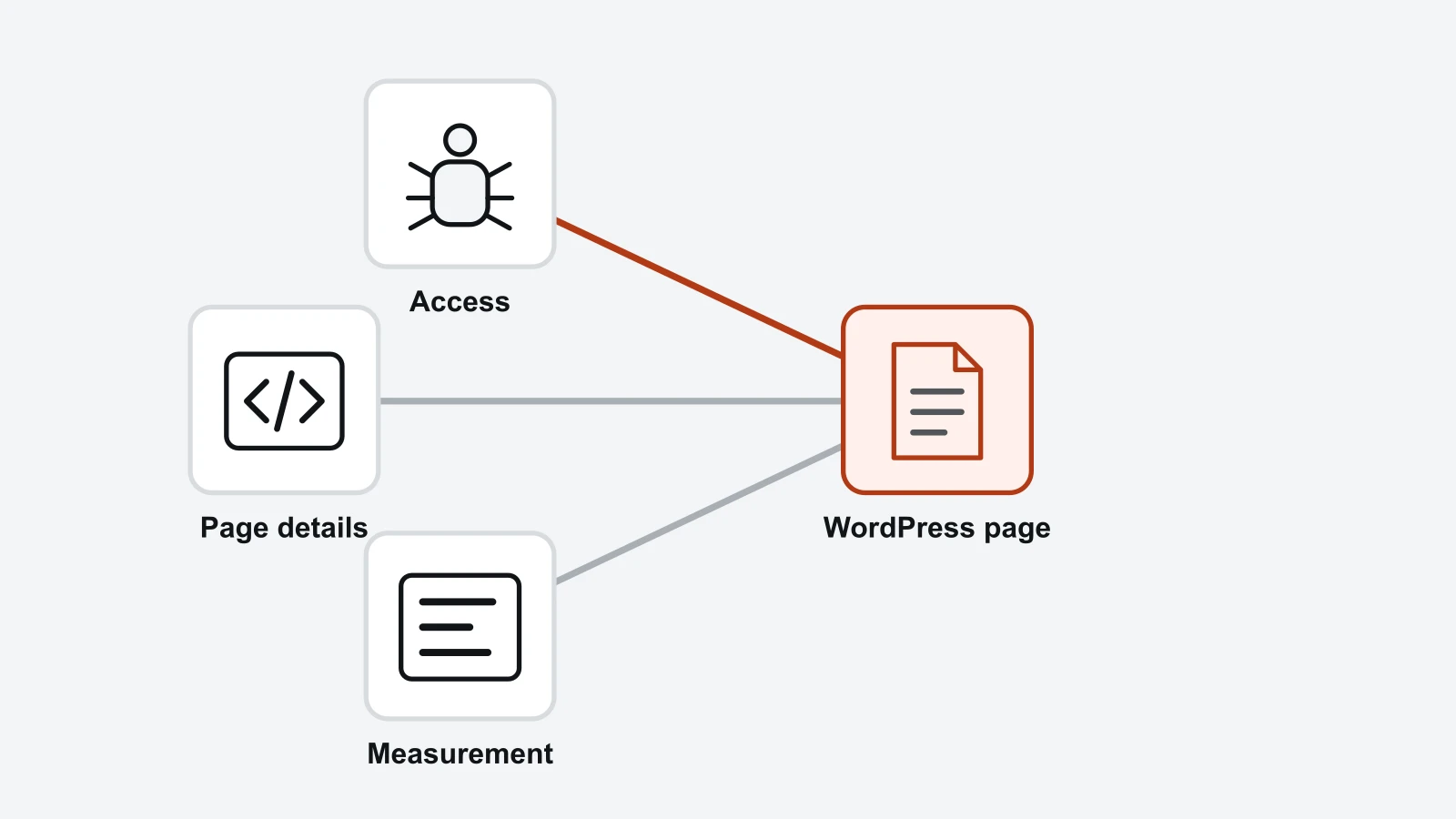
On this page 10 sections
- What is WordPress SEO in the AI era?
- The WordPress SEO fundamentals that have not changed
- How much of the web still uses WordPress?
- What 359 live WordPress sites are actually serving
- What a WordPress SEO plugin does for AI answers, and what it does not
- Do WordPress page builders hide content from AI crawlers?
- Should a WordPress site publish an llms.txt file?
- Why a quarter of WordPress homepages have no h1
- What to fix on a WordPress site, in order
- Review one WooCommerce product through the whole template
Short answer: WordPress SEO starts with useful content, accessible pages and clear navigation. For AI retrieval, check that essential product facts are available in the initial HTML as well as the browser view, because rendering support differs between crawlers and tools. Inspect the real response before replacing a theme or builder. WordPress alone does not guarantee retrieval or citation.
What is WordPress SEO in the AI era?
A WordPress store still needs accurate pages, usable navigation and accessible responses. AI retrieval adds another reason to inspect the initial HTML, because a browser-rendered view does not establish what a particular crawler receives. Keep the buyer's product-selection task at the centre of the review.
WordPress commonly outputs useful HTML on the server. That is a useful starting point, not a guarantee about every plugin, widget or product template. Inspect the actual product facts in the initial response before concluding that the full page is available to a non-rendering fetcher.
That matters more than it used to. Vercel and MERJ measured AI crawler traffic across Vercel's network (opens in a new tab) in the month before publishing on 17 December 2024: 569 million GPTBot fetches, 370 million from Claude, 314 million from AppleBot and 24.4 million from PerplexityBot. GPTBot and Claude fetched JavaScript files without executing them. Two of those four rendered: AppleBot, and Gemini by way of Googlebot's infrastructure.
That reading is 21 months old, so treat it as dated rather than current, and note that it was never a claim about every crawler. No operator has documented adding JavaScript rendering since. The agent modes are the other reason the claim needs scoping: they drive real browsers and do render, but each one is a single user's session rather than the retrieval pass deciding whether anybody is sent to you at all. What AI crawlers read on your site covers that distinction.
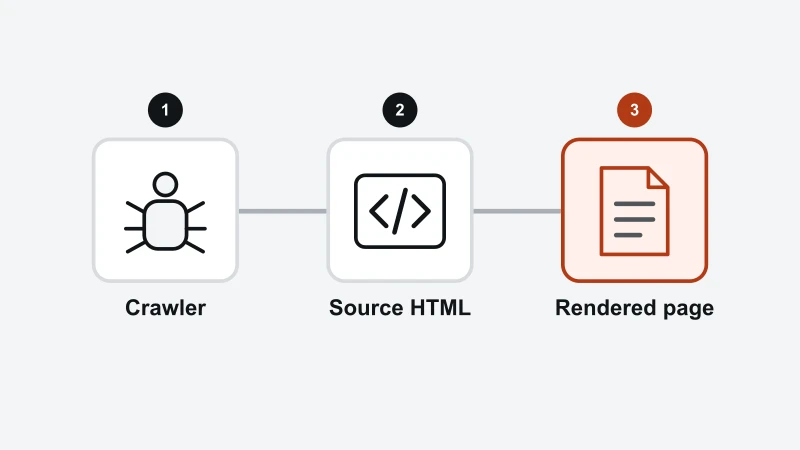
Check delivery before structure: can the relevant retrieval path receive the important text? Then check whether the answer is accurate, understandable and useful. A clear passage cannot help that path if it was never delivered, and a delivered page can still be unhelpful.
What actually changed, and what did not
- Unchanged. Crawlability, server-rendered HTML, titles, canonical tags, XML sitemaps, internal links, page speed. WordPress and any competent SEO plugin cover these.
- Changed. Position within the document now carries real weight, because retrieval extracts passages rather than reading pages. An answer buried in paragraph nine is an answer that does not exist.
- Changed. Sections have to survive being pulled out on their own. A section opening with a pronoun loses its subject the moment it is extracted.
- New. A second measurement problem. Rankings and clicks no longer describe your visibility, because an answer that names you sends no visit.
The next section covers the fundamentals that carry over unchanged. After that, the rest of this guide measures what WordPress sites are actually serving today rather than repeating the advice, because the advice is everywhere and the measurement is not.
The WordPress SEO fundamentals that have not changed
Every technical SEO and on-page SEO fundamental that worked for search engines before AI answers still works now, and the same WordPress settings still control them. An answer engine reaching a page it cannot crawl, cannot read quickly or cannot identify has the same problem a search engine crawler had.
- Access
Ensure the important page can be fetched.
- Meaning
Make its subject and buying information clear.
- Measurement
Check indexing and observed search outcomes.
An AI-search workflow does not replace the ordinary access and content checks.
So the WordPress SEO basics are the floor rather than the strategy. The table below is the whole floor, what handles each part, and the decision left to you. Each row that has a full guide of its own in this cluster is named as one.
Fundamental | What WordPress or a plugin handles | What you still decide |
|---|---|---|
Permalinks | WordPress generates the URL structure. Post name is the sensible setting and has been for years. | Whether to change them on an established site, which almost always costs more than it returns. |
Titles and meta descriptions | Every SEO plugin templates them sitewide and lets you override per page. | The wording. A template fills the field; it does not make the page worth opening. |
XML sitemap | WordPress core has shipped one since 5.5, and each SEO plugin replaces it with its own. | Nothing, usually. Submit it once in Google Search Console and leave it alone. |
Google Search Console | Plugins offer verification. The data itself is Google's. | Reading it. Search Console is the only free source of what people actually searched before reaching you. |
Site speed | Caching and image plugins do most of the work; hosting decides the ceiling. | Whether your theme and page builder are spending your budget on markup rather than content. |
Image SEO | The media library stores alt text and WordPress emits it. | Writing it. An empty alt attribute is the most common unforced error in a WordPress media library. |
Internal linking | Categories, tags and related-post blocks generate navigation links automatically. | The contextual links inside your prose, which are the ones carrying meaning. |
Structured data | An SEO plugin emits it. WordPress core emits none. | Whether it describes anything beyond the site's own identity. |
Two of these deserve more attention than they usually get from an AI search angle. Internal linking decides which of your pages a crawler reaches and how often, which is why an orphaned page stays invisible regardless of quality. Site speed decides how much of a large site gets crawled at all.
Both of those end at the same question, and it is the one a WordPress site is least equipped to answer from the dashboard: did Google actually keep the page? A plugin will report that a post is set to index and a sitemap will list it, and neither is evidence. The verdict lives in Search Console, it is per URL, and it moves. How to check when Google indexed a page covers where to read it and what each verdict means.
Everything in that table is table stakes, and a WordPress site doing all of it correctly is still not guaranteed a single AI citation. The parts that decide citation are covered in the sections that follow.
How much of the web still uses WordPress?
WordPress is used by 40.3% of all websites, and by 58.8% of sites whose content management system is known. Both figures come from W3Techs, read on 10 September 2026 (opens in a new tab). Neither of them is 43%.
The verb matters here, which is a strange thing to say until you read W3Techs on its own method. It counts a technology found anywhere on a domain, so it publishes "uses" rather than "runs on". An article correcting a misquoted figure should not misquote the unit alongside it.
That gap matters because "WordPress powers 43% of the web" opens a large share of the WordPress SEO guides currently ranking, including pages updated during 2026. The figure was correct for years, which is exactly why it has outlived its accuracy.
W3Techs publishes its own quarterly series, and the shape of it is the story. WordPress peaked at 43.6% of all websites on 1 January 2025 and held near 43% through that year. It was still 43.0% on 1 January 2026. Then 42.5% in April, 41.5% in July, and 40.3% on 10 September.
Date | Share of all websites | Change |
|---|---|---|
1 Jan 2025 | 43.6% | the peak |
1 Jan 2026 | 43.0% | down 0.6 in a year |
1 Apr 2026 | 42.5% | down 0.5 in a quarter |
1 Jul 2026 | 41.5% | down 1.0 in a quarter |
10 Sep 2026 | 40.3% | down 1.2 since July |
Roughly 2.7 points of the 3.3-point decline landed in the first eight months of 2026, and the two full quarters in that run went 0.5 then 1.0. A guide quoting 43% is describing WordPress at its peak, and the peak was twenty months ago.
Two denominators, routinely confused
Both W3Techs numbers are real and they measure different things. 40.3% is the share of all websites, including every site running no content management system at all. 58.8% is the share of sites running a known CMS, which is the number behind the "six in ten CMS sites" framing. Quoting one and describing it as the other is common in this subject area, and it changes the claim by 18 points.
None of this makes WordPress a bad platform to optimise. A 40.3% share is still larger than every other content management system combined. It does mean the ecosystem's confidence that everyone else will go on using WordPress is worth less than it was, and that advice written for it deserves rechecking rather than repeating.
What 359 live WordPress sites are actually serving
A survey of 359 live WordPress sites on 10 September 2026 found WordPress sites technically well served and editorially under-served: schema markup is near universal wherever a plugin is installed, and a quarter of the homepages carry no h1 at all.
Here is the method, because a number without one is an assertion. The sample frame was the Tranco daily list (opens in a new tab) generated on 9 September 2026, sampled systematically: every 100th domain from rank 1 to rank 300,000, giving 3,000 domains. Of those, 1,749 answered with HTML on a single homepage request, and 359 ran WordPress, detected by wp-content, wp-includes or the generator tag.
One request per homepage, one more for /llms.txt, no deeper crawl. Plugin detection reads the marker each plugin writes into the served HTML, so a plugin configured to suppress its marker counts as absent. Every figure below is a homepage measurement and should be read as one.
What was measured | Result | Why it matters for AI answers |
|---|---|---|
Ran WordPress | 359 of 1,749 reachable | 20.5% of this sample, against the 40.3% W3Techs reports across a far wider frame that includes very small sites. |
Yoast SEO | 203 of 359 (56.5%) | One plugin decides the machine-readable output of most WordPress sites in this sample. |
Rank Math | 40 of 359 (11.1%) | The clear second, which makes the comparison a real question rather than a two-horse tie. |
All in One SEO | 15 of 359 (4.2%) | The smallest of the three best-known plugins here, and the one most likely to be serving an llms.txt. |
No detectable SEO plugin | 95 of 359 (26.5%) | A quarter of the sample emits whatever core alone produces, which includes no structured data. |
Emitted JSON-LD | 294 of 359 (81.9%) | 97.3% with a plugin against 38.9% without. The plugin does this work almost single-handed. |
Meta description present | 311 of 359 (86.6%) | Well covered, and the one thing every plugin gets right. |
Served an llms.txt | 66 of 354 checked (18.6%) | Roughly double the 8.7% HTTP Archive recorded for WordPress in June 2026, for a reason covered below. |
No h1 element at all | 89 of 357 (24.9%) | The most common structural defect in the sample, and the cheapest to repair. Counted on a second fetch with scripts and comments stripped, which 357 of the 359 answered. |
More than one h1 | 53 of 357 (14.8%) | A further 14.8% give an extraction pipeline several competing answers to what the page is about. |
One pattern runs through the whole table. Anything a plugin can automate is done, and done widely. Anything needing an editorial decision is skipped. That is not a criticism of the plugins, which do exactly what they promise. It is where the remaining opportunity sits.
What a WordPress SEO plugin does for AI answers, and what it does not
A WordPress SEO plugin reliably delivers the machine-readable layer. It does nothing at all about the answer layer. The survey separates the two cleanly: 97.3% of the 264 sites running a detectable plugin emitted JSON-LD, against 38.9% of the 95 running none.
- Page markup
A plugin can affect configured website output.
- Crawler access
Inspect what is actually served.
- AI answer
Measure whether the brand or page appears.
Installing a plugin is not evidence of a citation or recommendation.
WordPress core ships no structured data of its own. So a plugin is the only practical route to it, and the 58-point gap in the survey is the plugin doing exactly the job it advertises.
What that structured data actually says
The types emitted are almost entirely site furniture. Across the 359 sites, WebSite appeared on 78.3%, WebPage on 60.7%, Organization on 60.2% and BreadcrumbList on 55.7%. These describe who the site is and where a page sits in it. They say nothing about what any page answers.
Homepages are the right place for exactly that markup, so read this as a description of the automated baseline rather than as a defect. The point is what the baseline covers: identity and navigation, generated without a decision. Schema markup describing an answer, on the pages that carry answers, is still authored by a person.
Worth knowing what this buys you. Google's own guidance on AI features states that site owners do not need to create new machine-readable files or AI text files to appear in them, and that there is no special schema.org structured data to add. Structured data helps a machine understand a page. It is not an entry ticket, and a plugin that grades it as one is grading its own dashboard.
Which plugin you run matters less for AI answers than plugin marketing suggests, because the schema every one of them generates describes the site rather than the page. Yoast accounts for 77% of the plugin-running sites in this sample, so most of the structured data on prominent WordPress sites is Yoast's output.
The parts a plugin cannot do are the parts deciding whether an assistant quotes you: putting the answer in the first paragraph, keeping each section self-contained, naming the subject instead of writing "it", and having something on the page worth citing. Those belong to whoever writes the page, and the general version of that argument sits in how to rank in AI search.
From RankX AIUse the connection that matches your WordPress store.List which theme or plugin owns each output before adding another generator.Review the WooCommerce connectionDo WordPress page builders hide content from AI crawlers?
WordPress page builders do not hide content from AI crawlers, and the claim that they do survives because almost nobody tests it. Elementor, Divi, WPBakery and the rest render to HTML on the server. The text sits in the source that a non-rendering crawler receives.
A server-rendered builder can put useful text in the response, while a client-side widget can add different content later. The relevant question is what the actual product page sends. A builder name alone cannot prove either accessibility or invisibility to a particular retrieval tool.
The measurement
Across the 359 WordPress sites, visible text was extracted from the raw HTML exactly as a crawler running no JavaScript would see it, with script, style, noscript and svg removed. Elementor homepages carried a median 1,287 words. Sites using no builder carried a median 1,080. The builder sites carried slightly more text, not less.
The distribution says it more strongly than the medians do. Not one of the 65 Elementor homepages served under 300 words of visible text, and the thinnest carried 313. Of the 246 homepages built without any page builder, 22 fell under 300 words.
The thinnest page in the whole sample, at 18 words, was built with Divi, and its source shows why that is not a rendering failure. Divi had written 314 of its own builder elements into the HTML the server returned. The markup arrived in full; the page simply carried almost no prose.
Homepage type | Sites | Median visible words in raw HTML | Median text as share of HTML |
|---|---|---|---|
Elementor | 65 | 1,287 | 2.7% |
No page builder | 246 | 1,080 | 4.0% |
All WordPress sites | 359 | 1,112 | 3.5% |
The real cost of a page builder sits in that last column. Elementor pages are about 2.7% text by character against 4.0% for sites without a builder, so the same content arrives wrapped in noticeably more markup. That is a page-weight and Core Web Vitals question, and a legitimate reason to care about builders. It is not an AI visibility question.
Some page builder appeared on 113 of the 359 sites here, with Elementor on 65 and WPBakery on 35, while 290 carried Gutenberg block markup. W3Techs, using a much wider frame than the top 300,000 domains sampled here, reports Elementor alone on 31.6% of WordPress sites and rising year on year. Either way this covers a large minority of the WordPress web, which is why getting the claim right matters.
Should a WordPress site publish an llms.txt file?
Publish an llms.txt file on a WordPress site because it costs nothing, and check first whether a plugin has already published one for you. In the survey, 66 of the 354 sites that could be checked served one, which is 18.6%, roughly double the 8.7% an HTTP Archive analysis of CrUX origins recorded for WordPress in June 2026.
Two things flatter that comparison and are worth saying before it gets quoted. This sample is drawn from the top 300,000 domains, where adoption of anything runs ahead of the wider web, and the two measurements sit three months apart in a period when llms.txt adoption was growing several-fold a year. Some of the gap is prominence and some of it is simply time.
One thing works the other way. This count rejected HTML soft-404s and files under 20 characters, then re-fetched all 66 to confirm them, and the smallest genuine file ran 254 characters. Counts that treat any 200 response as a file overstate adoption substantially, so the 18.6% is a conservative figure rather than a generous one.
The explanation for the gap is inside the files. Of the 66, 35 carried a plugin generator stamp: 27 from Yoast, 5 from All in One SEO and 3 from Rank Math. The remaining 31 were unstamped, and some of those will also be plugin output. More than half of the WordPress llms.txt files found were generated rather than written.
The median file ran 8,761 characters and listed 36 links, which describes a generated index rather than a curated one. The llms.txt proposal asks for the pages that answer real questions, each with an honest one-line description. A plugin dumping the sitemap satisfies the format and skips the only editorial decision the format asks for.
Whether anything reads it
No major engine documents consuming llms.txt from third-party sites. Google's guidance on AI features states that site owners do not need to create AI text files to appear in them, and published log studies have found the overwhelming majority of llms.txt files receive no requests at all from AI retrieval bots.
So the honest position for a WordPress owner has not changed: publish one because it costs nothing, never as a visibility lever, and treat any auditor marking a missing llms.txt as an error rather than a note as miscalibrated. The full evidence, including the log studies, sits in what the evidence on llms.txt actually shows.
The WordPress-specific part is what is new, and the survey splits it cleanly by plugin. Sixty-one of the 66 files sat on a site running one.
SEO plugin detected | Sites serving an llms.txt | Rate |
|---|---|---|
All in One SEO | 7 of 15 | 46.7% |
Rank Math | 9 of 39 | 23.1% |
Yoast SEO | 45 of 201 | 22.4% |
No detectable SEO plugin | 5 of 93 | 5.4% |
Running a plugin makes a WordPress site roughly nine times more likely to be serving an llms.txt than running none. So fetch /llms.txt on your own site and read it. A file you did not write is still a file published in your name.
Why a quarter of WordPress homepages have no h1
Heading structure is the most common structural defect in this sample of WordPress homepages, and the cheapest to repair. Counted on a second fetch with scripts, templates and comments stripped out first, 89 of the 357 homepages that answered (24.9%) carried no h1 element at all, and a further 53 (14.8%) carried more than one. Exactly 60.2% had one.
Themes cause most of it. A theme that renders the logo as an image with no heading around it leaves the homepage with no h1. A theme that wraps every section title in h1 for visual weight produces the opposite problem. Both are layout decisions nobody revisited.
The cost is specific rather than general. Retrieval systems break a page into chunks and use the heading above a passage as its label. A page with no h1 gives that pipeline nothing authoritative to call the page, and a page with six h1 elements gives it six competing answers to the same question.
Homepages are the most forgiving case, so treat 24.9% as the shape of the problem rather than as its severity. The same theme logic applies to the templates rendering posts and product pages, where a missing or duplicated h1 costs considerably more, because those are the pages carrying answers.
The check that takes a minute
- Open your homepage, a blog post and a product or service page, and view source rather than the inspector. The inspector shows the DOM after JavaScript; the source shows what a crawler receives.
- Search that source for
<h1. You want exactly one on each page, and you want it to describe that page rather than the site. - Check that your
h2elements read as questions or claims rather than as labels.Pricingtells a retrieval pipeline nothing;What does it cost?marks an answer. - Confirm nothing important is missing from the source that you can see in the browser. That is the JavaScript test, and it is the one that matters most.
Median h2 count across the sample was 8, so most WordPress homepages already carry the section structure. The headings are there. What is often missing is the single h1 above them, and a theme fix repairs every page at once.
What to fix on a WordPress site, in order
Fix WordPress SEO for AI search in the order a page fails: reach, then read, then answer. Can a crawler fetch the page, can it read the content once fetched, and can it find the answer inside it. Work them in that order, because anything below the line a crawler never crosses is wasted effort however well executed.
That order is not arbitrary. It is the first three categories of our published AI readiness rubric, and they are weighted that way because the failures are not equal. A blocked crawler costs you every citation at once. A missing h1 costs you some of one page.
First: can an AI crawler fetch the page at all
Check what your robots.txt actually serves rather than what a plugin screen claims. WordPress generates robots.txt virtually, and the AI block lists that WordPress plugins install disallow the search crawlers deciding citations alongside the training crawlers most owners mean to stop. The mechanics and an audit of those lists sit in how to block AI crawlers in WordPress, and the AI crawler access checker reads your live file against a roster of documented bots.
Second: does the content arrive in the HTML
View source on your most important template and confirm the body copy is there. WordPress passes this by default and page builders do not break it, so the usual culprits are review widgets, tabbed content injected on click, and anything loaded from a third-party script. Content behind a click that is absent from the source does not exist for the crawlers behind ChatGPT, Claude and Perplexity.
Third: is the answer findable inside the page
Put the answer in the first paragraph under each heading, keep every section able to stand alone, and repeat the subject rather than writing "it". These are the changes that move AI citations, and they are the only ones on this list no plugin can make for you.
Then measure the right thing
Rankings and sessions no longer describe AI visibility, because an assistant naming your business sends no visit and leaves no referrer. What you can measure is the rate at which assistants mention you across many prompts over time, and how to measure AI search visibility covers the method. For Google specifically, ranking in AI Overviews is a different question from ranking below them.
Our own position, since this article measures products we compete with: RankX AI is an AI visibility platform, and its AI readiness score grades a single URL free against a published rubric, the same catalogue the paid audit uses. The survey in this article was run with ordinary HTTP requests against a public domain list rather than with our own product, so anyone can reproduce it and disagree with us using the same method.
Review one WooCommerce product through the whole template
Compare an important product page with a category page in the rendered storefront and the initial HTML response. Verify that the product title, useful specifications, current availability and relevant buying guidance are present. Review the canonical and structured data that actually reach the page rather than trusting the plugin settings screen.
List which theme or plugin owns each output before adding another generator. Competing schema or canonical sources can disagree even when both dashboards look configured. Test a small permitted change, save the original value and confirm it in the storefront. Keep WordPress post editing and WooCommerce product actions distinct; their available permissions and recovery paths may differ.
Next, check the robots file that is served or review the WooCommerce connection.
Questions about WordPress Guides
Is WordPress still good for SEO in 2026?
Yes, and the reason is duller than most guides make it. WordPress renders pages on the server, so the words are in the raw HTML that AI crawlers read, and it emits clean titles, headings, canonical tags and an XML sitemap without a plugin. That covers the mechanical part of what an answer engine needs. What WordPress does not give you is the judgement: which question a page answers, whether the answer is at the top, and whether anyone would cite it. Those decide AI visibility, and no content management system supplies them.
Do I need an SEO plugin for WordPress?
For structured data, effectively yes. In a survey of 359 live WordPress sites on 10 September 2026, 97.3 percent of the sites running a detectable SEO plugin emitted JSON-LD, against 38.9 percent of those without one. WordPress core ships no schema markup, so a plugin is the practical route to it. For everything else the plugin matters less than the marketing suggests: titles, meta descriptions and sitemaps are all reachable without one, and Google states there is no special structured data required to appear in its AI features.
Does AI search change WordPress SEO strategy?
Keep the technical foundations and improve the actual buying task: clear product facts, useful comparisons and a sensible next step. Short answers and descriptive headings can help readers, but no specific heading pattern guarantees AI selection. Check access and important content on the real template.
Do AI crawlers see content built with Elementor or Divi?
Inspect the actual public page. A builder can output useful text in the initial HTML, while a widget or app may add other details only after scripts run. Compare a product name, price, availability and key specification in the initial response and browser view. A survey of homepages cannot establish that every store widget is accessible.
Should I add an llms.txt file to my WordPress site?
Only as a cheap option, and check whether your plugin has already done it. In a survey of 359 live WordPress sites on 10 September 2026, 66 of the 354 that could be checked served an llms.txt, and 35 of those files carried a plugin generator stamp rather than being written by anyone. Google states that site owners do not need to create AI text files to appear in its AI features, and no major engine documents consuming llms.txt from third-party sites. A file nothing reads costs nothing and proves nothing.
Can I do WordPress SEO myself without knowing how to code?
Many content, navigation and metadata checks can be done in WordPress admin. Start with one important page and verify the public result after editing. A template, HTTP response or conflicting schema issue may need a developer. Installing an SEO plugin does not replace checking the generated page.
How long does WordPress SEO take to show results?
Weeks for technical fixes to be recrawled, months for content to earn position, and the two now move on different clocks. A heading fix or a schema addition is picked up on the next crawl. Being cited in AI answers can move faster than a ranking, because retrieval selects on relevance to a specific question rather than on accumulated authority, and it can disappear faster for the same reason. Treat a single citation check as a sample rather than a result, and measure the rate across many prompts over time.
Sources
- W3Techs, usage statistics and market share of WordPress: 40.3% of all websites and 58.8% of sites with a known CMS, read 10 Sep 2026 (opens in a new tab) Checked 2026-09-10.
- W3Techs, historical trends in the usage of content management systems as a share of all websites: WordPress 43.6% (1 Jan 2025), 43.0% (1 Jan 2026), 42.5% (1 Apr 2026), 41.5% (1 Jul 2026), 40.3% (10 Sep 2026) (opens in a new tab) Checked 2026-09-10.
- W3Techs, historical trends in the usage of WordPress subtechnologies: Elementor on 31.6% of WordPress sites, up from 29.5% a year earlier (opens in a new tab) Checked 2026-09-10.
- Vercel and MERJ, The rise of the AI crawler, published 17 Dec 2024 covering the preceding month: 569M GPTBot fetches, 370M Claude, 24.4M PerplexityBot, no JavaScript execution by any of them, and Gemini rendering via Googlebot infrastructure (opens in a new tab) Checked 2026-09-10.
- Google Search Central, AI features and your website: no need to create machine-readable files or AI text files, and no special schema.org structured data required, to appear in AI Overviews or AI Mode (opens in a new tab) Checked 2026-09-10.
- Tranco, a research-oriented top sites ranking hardened against manipulation. Daily list generated 9 Sep 2026 at 22:22 UTC, used as this survey's sample frame (opens in a new tab) Checked 2026-09-10.
- Casey Burridge, state of llms.txt adoption, June 2026, from HTTP Archive's BigQuery dataset over CrUX origins: WordPress 8.7%, Shopify 78.1% after a platform-wide default rollout, Contentful 22.9%, Drupal 1.5%; by rank tier, top 1k 6.28% down to top 1M 5.07%. The like-for-like comparator for this article's 18.6% (opens in a new tab) Checked 2026-09-10.
- RankX AI field survey, 10 Sep 2026. Every 100th Tranco domain from rank 1 to 300,000 (3,000 domains); 1,749 answered 200 with HTML; 359 ran WordPress. One homepage request plus one /llms.txt request per domain. Plugin, page-builder and schema detection by the markers each writes into the served HTML Checked 2026-09-10.
- Google Search Central: ecommerce site structure (opens in a new tab) Checked 20 Oct 2026.
- Google Search Central: current generative AI optimisation guidance (opens in a new tab) Checked 2026-10-21.
Asif Syed is the founder and CEO of RankX AI, the AI search visibility platform. He builds the product and writes here about GEO, AI search measurement and WordPress.
CoversThis article covers the WordPress Guides topic, the Website Audit feature and the AI Readiness Score tool.
Terms usedSchema Markup (Structured Data), XML Sitemap, Core Web Vitals, Server-Side Rendering (SSR), Robots.txt, AI Crawler, llms.txt, Answer Engine Optimization (AEO), Generative Engine Optimization (GEO), Internal Linking, Pillar Page, Topic Cluster, Chunking, Atomic Content, E-E-A-T, AI Citation, AI Overview, Entity (SEO), Canonical Tag and Topical Authority.
Read this page asMarkdown: /blog/wordpress-seo-ai-era.md.
All articlesEverything RankX AI publishes is listed on the blog index.
Ask an assistantAsk ChatGPT (opens in a new tab), Ask Claude (opens in a new tab) or Ask Perplexity (opens in a new tab).
Preferred sourceIf Google is your front door, you can add RankX AI as a preferred source (opens in a new tab), which asks your own results to surface more of what we publish.