Ecommerce SEO: a complete guide for stores and AI search
Ecommerce SEO for Shopify, WooCommerce, BigCommerce and Magento: keywords, architecture, technical fixes, product data, AI shopping and a 30-day plan.
 Published 16 minute read
On this page 11 sections
- What is ecommerce SEO, and what has changed with AI search?
- How do you do keyword research for an online store?
- How should a store structure categories, collections, URLs and internal links?
- Technical ecommerce SEO: how do you handle crawling, indexing, filters and duplicates?
- How do you optimise category and product pages?
- How do structured data and product feeds help an online store?
- How does an online store earn content, links and mentions?
- Ecommerce SEO for AI search and AI shopping: how do products get into AI answers?
- How do you measure ecommerce SEO?
- A 30-day ecommerce SEO plan
- Map one category before changing the whole store
Short answer: Ecommerce SEO is the work of getting an online store's category and product pages found in Google and, now, in AI assistants such as ChatGPT and Google AI Mode. It covers keyword research, store architecture, crawlable and canonical URLs, structured data and product feeds, content that earns links, and measurement in Google Search Console and GA4.
What is ecommerce SEO, and what has changed with AI search?
Ecommerce SEO is search engine optimisation for an online store. It makes category and product pages easy for Google and Bing to crawl, understand and rank for the searches shoppers make. The pages are now read in more places, because AI Overviews, Google AI Mode, ChatGPT and Microsoft Copilot summarise products and cite a few sources.
SEO for ecommerce websites is a bigger job than SEO for a blog. A store has thousands of near-identical URLs, prices and stock that change daily, and filters that can multiply pages without limit. Much ecommerce SEO work goes into controlling that sprawl.
The foundations still carry AI search. Google's own guide to its AI features says "You don't need to create new machine readable files, AI text files, markup, or Markdown to appear in Google Search (including its generative AI capabilities), as Google Search itself doesn't use them." (Google Search Central (opens in a new tab))
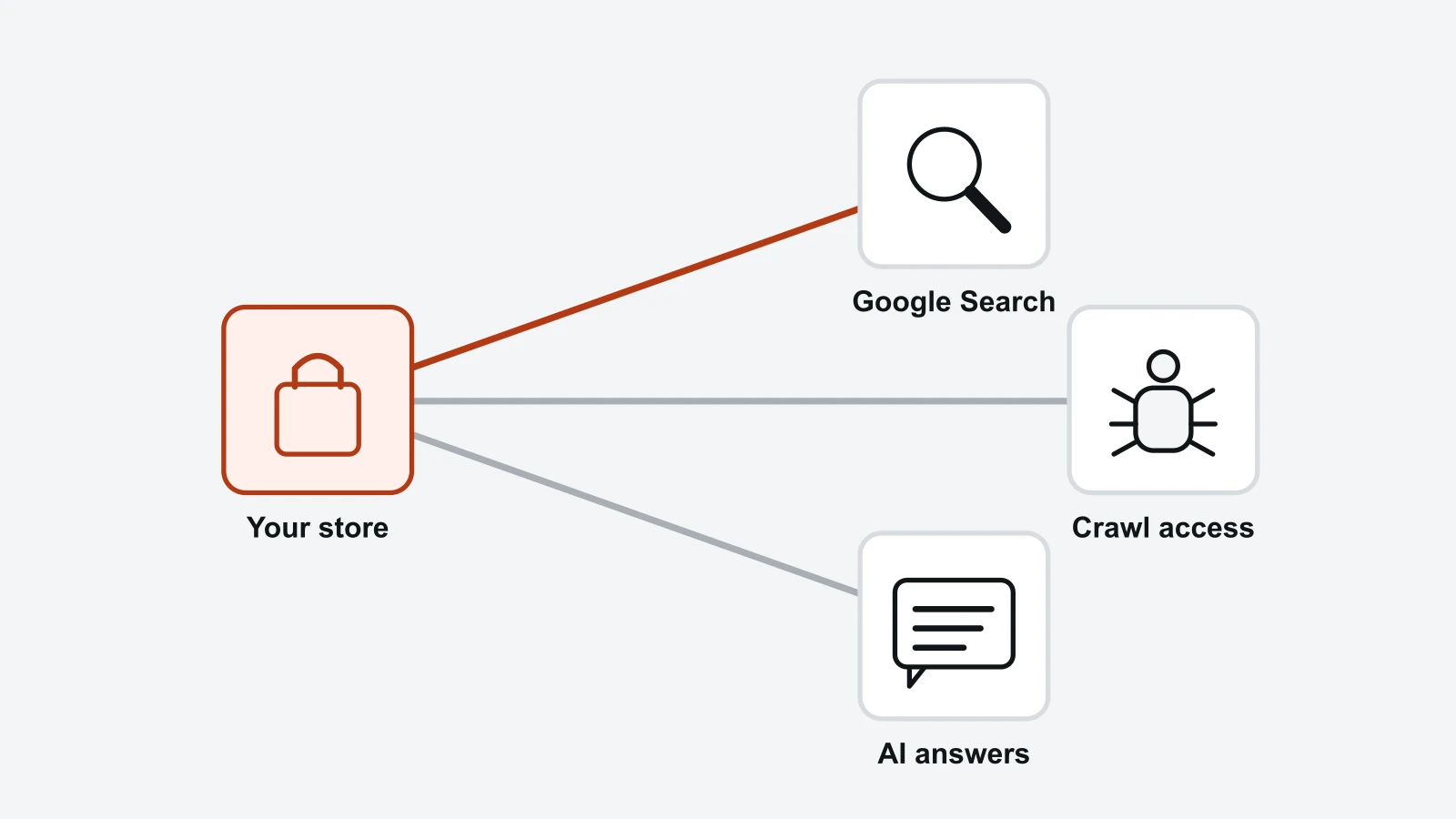
Two things are new. AI assistants fetch pages with their own crawlers, so robots.txt and CDN rules now affect AI answers too (how AI crawlers read your site). Shopping answers also show product cards, and your product data affects how your products are shown there and whether they are eligible to appear.
To see where your store starts, the AI Visibility Checker in the RankX AI free trial asks ChatGPT, Gemini and Perplexity the shopper prompts you choose, and reports whether you were named, who was named instead and which sites were cited. Each run is a snapshot, because answers change, so compare over time.
This guide follows the order a store owner works in, from keywords to a 30-day plan, for Shopify, WooCommerce, BigCommerce and Magento stores.
Why ecommerce SEO matters for a store
Organic traffic keeps arriving without a cost per click, though the pages that earn it need ongoing upkeep. Category pages capture the broad commercial searches with the most demand, such as 'running shoes', which a single product page rarely wins.
The same pages now feed AI answers. Google's Search Console reports impressions in AI Overviews and AI Mode (Google Search Console Help (opens in a new tab)), and in ChatGPT purchases are completed on merchant-owned websites or apps (OpenAI: ChatGPT for merchants (opens in a new tab)), so your own pages are where both kinds of search lead.
How do you do keyword research for an online store?
Keyword research for an online store maps every search a shopper makes to the one page that should rank for it. Broad commercial keywords such as 'running shoes' belong to category pages, specific ones with a model, size or colour belong to product pages, and questions belong to guides. Each keyword gets one page.
Where to find the keywords
- Google Search Console: the Performance report shows the queries that already bring impressions, page by page.
- Your site search logs: the words shoppers type into your search box often match the words they type into Google.
- Google and Amazon autocomplete: type a category name and note the modifiers that appear, such as size, material, use and price.
- Competitor and marketplace categories: how Amazon and category leaders group products often mirrors how people search.
- Customer service emails and reviews: questions buyers ask before ordering become guide topics and product page FAQs.
Sort by intent, then map
Group what you find by intent. Commercial keywords ('waterproof trail running shoes') want a category or a filtered category. Product keywords ('Brand X Model 4 women's') want a product page.
Informational keywords ('how should running shoes fit') want a guide that links to the right category. This intent split is the core of any ecommerce SEO strategy.
Illustrative example: a running-shoe store
Take an illustrative store selling running shoes. Each keyword is assigned to one URL:
- 'running shoes' goes to /collections/running-shoes, the category.
- 'trail running shoes' goes to /collections/trail-running-shoes, a subcategory.
- 'wide fit running shoes' goes to a filtered view promoted to its own indexable URL, if Search Console or autocomplete shows people search for it.
- 'Brand X Model 4' goes to the product page.
- 'how to choose running shoes' goes to a buying guide that links to all three categories.
Two pages chasing the same keyword compete with each other. If your map shows a clash, merge the pages or re-point one of them at a different keyword.
Prompts for AI assistants
Shoppers ask AI assistants longer, conversational prompts, such as 'best trail running shoes for wide feet under $150'. Write down 10 to 20 of these alongside your keywords. They show which comparisons, fit details and price facts your pages need to state plainly.
How should a store structure categories, collections, URLs and internal links?
Store architecture tells Google which pages matter most. Keep the home page, categories, subcategories and products in a shallow, logical tree. Give each page a short, descriptive URL, and link down from categories and across between related products, so every product sits a few clicks from the home page.
- Home page
Navigation to top categories
- Category
Broad keyword, links to subcategories
- Subcategory
Narrower keyword or searched filter view
- Product page
Specific keyword, one canonical URL
- Related products
Cross-links and breadcrumbs back up
Each level links down to the next and across to related products, so every product sits a few clicks from the home page.
URL patterns by platform
Shopify uses /collections/ for categories and /products/ for products. WooCommerce uses /product-category/ and /product/ by default, while BigCommerce and Magento let you configure category and product paths. Pick short, readable, lowercase slugs and keep them stable.
Shopify also exposes each product inside each collection at /collections/name/products/item, with a canonical tag pointing at /products/item. Where your theme allows, link to the /products/ URL from collection grids, so crawlers meet one address per product.
Internal links that carry weight
- Main navigation to the top categories, without listing every subcategory.
- Breadcrumbs on every category and product page (Home > Running shoes > Trail > Product).
- Category introductions that link to subcategories and buying guides.
- Product pages that link back to their category and across to related or complementary products.
- Guides that link to the categories they discuss.
Check for orphan products: items that no category or link reaches. Search engines find them only through the sitemap, with no internal signal that they matter.
Changing structure without losing traffic
A replatform or a URL change is a migration. Map every old URL to its closest new one with a permanent redirect, update internal links, and keep the old URL list to test the redirects afterwards.
Redirecting everything to the home page throws away the relevance each old page had. Send each old product to its new product, or to the nearest category if it no longer exists.
Technical ecommerce SEO: how do you handle crawling, indexing, filters and duplicates?
Technical ecommerce SEO keeps crawlers spending their time on pages worth ranking. For most stores that means four jobs. Let search engines and AI crawlers reach the pages, control the URLs that filters create, give every product one canonical URL, and tell search engines quickly when stock or prices change.
- Money pages open to crawlers
robots.txt and CDN rules allow product, category and policy pages
- Key text in server HTML
Not loaded later by JavaScript
- One canonical per product group
Base URL with no variant preselected
- Indexable URLs only for searched filters
One control per URL pattern
- Crawlable pagination
Each page carries its own canonical
- Accurate sitemap lastmod dates
IndexNow for Bing
- Discontinued products handled
Redirect to a replacement or return a not-found status
Seven checks that keep crawlers on the pages worth ranking.
Crawling and access
Start with robots.txt and your CDN or firewall settings. Confirm that product, category and policy pages are open to Googlebot, Bingbot and the AI crawlers you want answering about your products. The free AI Crawler Access Checker checks robots.txt and live server responses for documented AI bots.
On Cloudflare, since 15 September 2026, the Block and Block on pages with ads settings also apply to mixed-use crawlers such as Applebot, Bingbot and Googlebot, so either setting now affects search as well as AI training. A store that needs search crawling should use the training-only option, Disallow AI Training, rather than Block (Cloudflare blog (opens in a new tab)).
Check that key text is in the HTML the server returns, rather than loaded later by JavaScript. Then use URL Inspection in Google Search Console on a sample product to see the page as Google renders it.
Filters and faceted navigation
Filters for size, colour, price and brand combine into more URLs than any crawler needs. Decide which filtered views match real searches, and give those a static, indexable URL with their own title and intro.
Keep the rest out of the index with a canonical to the parent category or a noindex tag, or stop crawling of those parameters in robots.txt. Choose one control per URL pattern: a page blocked in robots.txt cannot be crawled, so search engines never see a noindex tag on it.
Paginate category pages with plain, crawlable links to page 2, 3 and onwards, and let each page carry its own canonical. Pointing every paginated page's canonical at page 1 can hide the products listed further down.
Duplicates and variants
Bing's webmaster team wrote on 19 December 2025 that duplicate content does not trigger a search penalty on its own, but it does reduce visibility by diluting authority, confusing intent and slowing how updates reach search engines and the AI systems that find pages for their answers (Bing Webmaster Blog (opens in a new tab)).
Common sources in a store are manufacturer descriptions copied across retailers, one product in several collections, tracking parameters and a URL for each size or colour.
For variants on one page, Google's product variant documentation says "there must be only one distinct canonical URL for the overall" product group, typically the base URL with no variant preselected. (Google Search Central (opens in a new tab))
Freshness and stock changes
Bing says IndexNow "helps keep information fresh across search and AI experiences by notifying participating search engines whenever content is added, updated, or removed." (Bing Webmaster Blog (opens in a new tab)) Our advice is to use it whenever a price or stock level changes. For Google, keep the lastmod dates in your XML sitemap accurate.
When a product sells out but will return, keep the page live and mark it out of stock. When it is discontinued, redirect it to the closest replacement or category, or let it return a not-found status if nothing fits.
Speed and mobile
Category grids are often a store's heaviest pages. Compress product images and serve them at the size the grid displays, rather than at full resolution. Lazy-load images below the fold, and load the first row a shopper sees straight away.
Audit the third-party apps and scripts your theme loads, such as reviews, chat and tracking widgets. Remove any you no longer use, because each one adds weight to the pages it runs on.
Google's Core Web Vitals set the thresholds for a good experience on three measures: Largest Contentful Paint (LCP), Interaction to Next Paint (INP) and Cumulative Layout Shift (CLS) (web.dev (opens in a new tab)). They are measured at the 75th percentile of page loads, on mobile and desktop alike.
How do you optimise category and product pages?
Category pages usually win the broad, high-volume keywords, and product pages win the specific ones. Optimise both for the same things: a title tag and H1 that match the keyword, unique text that helps a shopper choose, crawlable links, real images with alt text, and the facts buyers and AI assistants look for, such as price, stock, delivery and returns.
Category pages
Write a title tag that leads with the category keyword and ends with the store name, such as 'Trail running shoes | Store Name', and an H1 that matches it. Put one or two sentences above the product grid so shoppers reach products fast.
Put longer buying advice below the grid: how to choose, sizing notes and answers to common questions. That block is what AI Overviews and AI assistants can quote when someone asks which trail shoe suits wide feet. A grid of product names gives them nothing to lift.
Link from the category text to subcategories and to the guide that covers the topic in depth.
Product pages
- A unique description in your own words, written for the buyer's decision rather than copied from the manufacturer.
- Specifications as text, in a table or list, never only inside images.
- Price, availability, delivery cost and times, and the returns window, visible on the page.
- Genuine customer reviews and questions, kept on the page as crawlable text.
- Descriptive image file names and alt text, with several angles.
- A title tag in a consistent pattern: brand, model, key attribute and product type.
Prioritise by revenue. Rewriting every description at once is rarely realistic for a large catalogue, so start with your best sellers and the products with the most Search Console impressions.
If you use AI to draft product copy, check every fact against the product. For Google Merchant Center, Google's guidance says "AI-generated product data such as title and description attributes must be specified separately and labeled as AI-generated." (Google Search Central (opens in a new tab))
From RankX AICompare the plans that track your store in Google and AI answers.Fix the clashes first: merge or re-point any two pages chasing the same keyword, then rewrite the title, H1 and introduction for the one that owns it.See pricingHow do structured data and product feeds help an online store?
Structured data and product feeds hand a store's facts to Google in a form a machine can read. Product markup on the page makes listings eligible for rich results, while a Google Merchant Center feed supplies free listings and Shopping. Keep both in agreement with the visible page, so Google is never left choosing between conflicting prices or policies.
Google's guide to its AI features says "Structured data isn't required for generative AI search, and there's no special schema.org markup you need to add." (Google Search Central (opens in a new tab)) Markup is still the route to rich results, such as price, stock and review stars in classic listings, so it stays on every store's list.
Which markup to add
At minimum, add Product with Offer (price, currency, availability) on every product page and BreadcrumbList on categories and products. Our guides to Shopify SEO and to SEO for ecommerce product pages cover the full markup set, including variants and reviews, in depth.
Validate a sample of each template in Google's Rich Results Test. Then watch the Merchant listings and Product snippets reports in Search Console for errors as the catalogue changes.
Keep the feed and the page in agreement
Google's merchant listing documentation says that "If you define shipping or return policies in multiple places, Google uses the following order of precedence (from strongest to weakest)", with Merchant Center feeds and settings above product markup and organisation-level markup weakest. (Google Search Central (opens in a new tab))
Google Merchant Center Help adds that free listings "help your product pages to appear in search results, not other pages like homepages, delivery and return policies, or product category pages." (Google Merchant Center Help (opens in a new tab)) The feed should point at product pages that show the same price, stock and policies as the feed itself.
How does an online store earn content, links and mentions?
Online stores earn links and AI citations with assets worth referencing: buying guides, sizing and fit tools, comparison pages, original data about their category, and digital PR that gets the brand named in the press. Product pages rarely attract links on their own, so internal links pass the authority these assets earn on to categories.
Content worth linking to
- Buying guides that compare product types fairly, including when a cheaper option is enough.
- Size, fit and compatibility tools or charts.
- Care, repair and how-to guides for the products you sell.
- Original data from your own category, published with the sample and dates.
- For B2B stores: spec sheets, compatibility tables, CAD files and bulk pricing explained.
Digital PR and mentions
Digital PR earns links by giving journalists something to report: new data, an expert view or a product story. Favour coverage in publications your buyers read over volume. Paid links that pass ranking credit break Google's spam policies and can cost the pages they point at their rankings.
Mentions matter for AI answers as well as links. An assistant can only name a brand that appears in the sources it reads, so reviews, comparison articles and forum threads that mention your products give it material to work with.
Ecommerce SEO for AI search and AI shopping: how do products get into AI answers?
To get products into AI shopping results, start with the assets Google Shopping already uses: accurate, crawlable product pages and a clean Google Merchant Center feed. ChatGPT shows products and sends the buyer to your website to pay. Google offers checkout inside AI Mode and Gemini only for eligible products in a few countries.
- Where the purchase completes
ChatGPT: On the merchant's own website or app. Google AI Mode and Gemini: In Google, for eligible products and participating merchants.
- In-assistant checkout countries
ChatGPT: None: purchases finish on merchant sites. Google AI Mode and Gemini: United States, Canada and Australia.
- What the store controls
ChatGPT: Crawlable, accurate product pages and product data. Google AI Mode and Gemini: Merchant Center feed, product pages and markup.
Where the sale closes and what the store controls, from OpenAI's and Google's own pages, read 11 November 2026.
OpenAI's merchant page says "Users can discover and evaluate products in ChatGPT, but purchases are completed on merchant-owned websites or apps." (OpenAI: ChatGPT for merchants (opens in a new tab)) Your product page is where the sale closes, so it needs to convert as well as rank.
The same page says "Shopping is currently live for ChatGPT users in the U.S." when we read it on 11 November 2026 (OpenAI: ChatGPT for merchants (opens in a new tab)). That limit covers OpenAI's merchant programme, while product results in ChatGPT reach users worldwide (OpenAI release notes (opens in a new tab)).
Google Merchant Center Help says its article on this checkout "only applies to products with eligibility in the United States, Canada and Australia, and for participating merchants and partners." (Google Merchant Center Help (opens in a new tab)) When we read it on 11 November 2026, UK stores could not use it, so their work stays on the product page and the feed.
What to prepare
- Let AI crawlers reach product and policy pages, and check that the text loads without JavaScript.
- State the facts assistants compare: price, materials, dimensions, compatibility, who the product suits, delivery and returns.
- Keep Merchant Center and any other product feeds complete and matched to the page. For ChatGPT, see our guide to ChatGPT shopping and product feeds.
- Write category copy that answers comparison prompts directly, so AI Overviews and AI Mode have a passage to cite. Google AI Mode vs AI Overviews explains how the two differ.
- Record which brands and products assistants show for your prompts on a schedule, because answers change between runs.
AI shopping features change often. Treat any rule of thumb as a hypothesis, and test it against what assistants show for your own prompts.
How do you measure ecommerce SEO?
Measure ecommerce SEO at three levels: visibility, traffic and revenue. Google Search Console shows impressions, clicks and positions by page and query, and GA4 shows organic and AI-referred sessions and the orders they lead to. AI visibility tracking shows whether assistants name your brand and products for the prompts shoppers use.
Search Console and Bing Webmaster Tools
Segment Search Console by page type: filter URLs containing /collections/ or /product-category/ for categories, and /products/ or /product/ for products. Watch the Pages report for products that drop out of the index, and the Performance report for impressions, clicks and average position.
Add the Generative AI performance report to the same review. It shows impressions in AI Overviews and AI Mode, and Google rolled it out to all websites on 31 August 2026 (Google Search Console Help (opens in a new tab)).
In Search Console settings, confirm the store is set to "Include my site's links and content in Search generative AI features" (Google Search Console Help (opens in a new tab)).
Bing Webmaster Tools announced an AI Performance report in public preview on 10 February 2026 (Bing Webmaster Blog (opens in a new tab)), which is worth adding to your monthly review.
GA4
In GA4, compare organic search sessions and revenue by landing page, and create a channel or segment for visits referred by AI assistants. Our guide to tracking AI traffic in GA4 shows the referrer rules.
AI visibility
Most AI assistants report nothing back to the stores they mention, so measure them directly. Run the same prompts on a fixed schedule and record whether your brand is named, which rivals appear and which pages are cited. How to measure AI search visibility covers the method.
Answers vary between runs, so read trends over weeks rather than single results.
Where RankX AI fits
RankX AI tracks the prompts you choose in AI assistants. Each check runs on a schedule you choose (daily, every 3 days, weekly, fortnightly or monthly), up to the fastest schedule your plan allows.
AI Shopping is a module you switch on per website, and it costs 5 credits per shopping prompt, per surface, per run (RankX AI pricing), so a prompt checked in both ChatGPT and Google AI Mode costs 10 credits a run. Allowances per website run from 25 shopping prompts and 100 monitored products on Starter to 200 and 1,000 on the largest agency plan (RankX AI: AI Shopping).
The 7-day free trial includes 1,000 credits; See pricing for each plan's monthly credits.
A 30-day ecommerce SEO plan
This 30-day ecommerce SEO plan puts the work in a practical order. Measure, then remove technical blocks, then improve the pages with the most demand. Treat it as a recommended order and adjust the scope to your catalogue size and team.
Days | Focus | What to do | Done when |
|---|---|---|---|
1 to 7 | Baseline | Export Search Console pages and queries; group URLs into categories, products, filters and content; crawl the store; check robots.txt and AI crawler access; record AI visibility for 10 to 20 buying prompts | You have indexed and excluded URLs by page type, and a dated visibility record |
8 to 14 | Technical fixes | Unblock money pages; set canonicals for variants and collection paths; noindex or block low-value filter URLs; fix broken links and redirect chains; resubmit the sitemap | URL Inspection shows key templates indexable, and the sitemap reads without errors |
15 to 21 | Category pages | Map one keyword per category; rewrite titles, H1s and intros for the 10 categories with the most impressions; add buying advice and FAQs; link subcategories | Every priority category has one keyword, unique copy and links to its subcategories |
22 to 28 | Product pages and data | Rewrite copied descriptions on best sellers; show delivery and returns; validate Product markup in the Rich Results Test; fix Merchant Center errors | Best sellers pass the Rich Results Test, and feed and page match on price and stock |
29 to 30 | Review | Repeat the crawl and the visibility record; compare with day 1; plan next month's content and digital PR | You have a before-and-after comparison and a content list for month two |
Ecommerce SEO still rests on crawlable pages, one URL per product, useful category and product content, accurate structured data and feeds, and earned mentions. AI search adds two checks to the list: whether AI crawlers can read your pages, and whether assistants name your products for the prompts shoppers use.
To check whether AI assistants recommend your store, our free AI Visibility Checker shows whether AI assistants name your store when shoppers ask what to buy, who they recommend instead and which sites they cite.
Map one category before changing the whole store
Pick the category with the most impressions in Search Console. Export its queries, then list the subcategories, filtered views and products that also show for them. Give each query one owner URL, and check that the filtered views you keep are indexable while the rest point their canonical at the category or carry a noindex tag.
Fix the clashes first: merge or re-point any two pages chasing the same keyword, then rewrite the title, H1 and introduction for the one that owns it. Compare the same query group in Search Console over comparable periods, and repeat the same buying prompts in AI assistants a month later. A clean keyword map makes the page easier to rank and cite; it does not guarantee a position, a place in an AI answer or a sale.
Next, optimise a Shopify store page by page or improve each product page for Google and AI shopping.
Questions about Ecommerce & Technical SEO
Which ecommerce platform is best for SEO?
No single platform wins on SEO by itself: Shopify, WooCommerce, BigCommerce and Magento stores can all rank well when set up carefully. What matters is control over URLs, canonical tags, robots.txt, structured data and page speed, and whether your team can change them. Weigh those points against your catalogue size and budget before you choose.
How long does ecommerce SEO take to work?
There is no reliable universal timeline for ecommerce SEO: results depend on how quickly search engines recrawl your pages, how strong the competition is and the content you publish. Technical fixes can show once Google recrawls the affected pages, which you can follow in the Search Console Pages report and with URL Inspection. Gains from new content and links build more slowly and depend on competition, so judge them over months.
How do I get my products into AI shopping results?
Make product pages crawlable, accurate and complete, and keep your Google Merchant Center feed matched to them. In ChatGPT, purchases finish on your own website or app, so the product page has to convert. When we read Google Merchant Center Help on 11 November 2026, Google's checkout in AI Mode and Gemini applied only to eligible products in the United States, Canada and Australia.
What are the most important ecommerce SEO ranking factors?
Google does not publish a weighted list, so nobody outside Google can rank the factors with certainty. The ones that reliably matter for stores are relevance to the search, pages Google can crawl and index, one canonical URL per product, helpful original content, links and mentions from other websites, and a usable mobile experience.
How do I do SEO for an ecommerce website?
Map keywords to categories, products and guides, then build a shallow structure with clean URLs and internal links. Fix crawling, filters and duplicates, improve category and product content, and add Product markup and a Merchant Center feed. Measure in Search Console, GA4 and AI visibility tracking, and repeat monthly.
Does an online store need an llms.txt file?
Google says it does not: its guidance (opens in a new tab) states that Google Search does not use AI text files, including for its generative AI features. Whether other AI assistants use llms.txt is not settled. Crawlable product pages, accurate feeds and clear text matter more for AI visibility.
Sources
- Google Search Central: AI optimisation guide (opens in a new tab) Checked 2026-11-14.
- Google Search Console Help: Generative AI performance report (opens in a new tab) Checked 2026-11-14.
- OpenAI: ChatGPT for merchants (opens in a new tab) Checked 2026-11-14.
- OpenAI Help Center: ChatGPT release notes (opens in a new tab) Checked 2026-11-14.
- Cloudflare blog: Accountable mixed-use AI crawlers (opens in a new tab) Checked 2026-11-14.
- Bing Webmaster Blog: Does duplicate content hurt SEO and AI search visibility? (opens in a new tab) Checked 2026-11-14.
- Google Search Central: Product variant structured data (opens in a new tab) Checked 2026-11-14.
- Bing Webmaster Blog: Introducing AI Performance in Bing Webmaster Tools public preview (opens in a new tab) Checked 2026-11-14.
- web.dev: Web Vitals (opens in a new tab) Checked 2026-11-14.
- Google Search Central: Using generative AI content (opens in a new tab) Checked 2026-11-14.
- Google Search Central: Merchant listing structured data (opens in a new tab) Checked 2026-11-14.
- Google Merchant Center Help: About free listings (opens in a new tab) Checked 2026-11-14.
- Google Merchant Center Help: checkout in AI Mode and Gemini (opens in a new tab) Checked 2026-11-14.
- Google Search Console Help: Search generative AI control (opens in a new tab) Checked 2026-11-14.
- RankX AI: Pricing Checked 2026-11-14.
- RankX AI: AI Shopping Checked 2026-11-14.
- Google Search Central: ecommerce site structure (opens in a new tab) Checked 20 Oct 2026.
Asif Syed is the founder and CEO of RankX AI, the AI search visibility platform. He builds the product and writes here about GEO, AI search measurement and WordPress.
CoversThis article covers the Ecommerce & Technical SEO topic, the AI Shopping feature and the AI Visibility Checker tool.
Terms usedCanonical Tag, Internal Linking, Crawl Budget, Schema Markup (Structured Data), Product feed, Core Web Vitals, Digital PR and AI Crawler.
Read this page asMarkdown: /blog/ecommerce-seo.md.
All articlesEverything RankX AI publishes is listed on the blog index.
Ask an assistantAsk ChatGPT (opens in a new tab), Ask Claude (opens in a new tab) or Ask Perplexity (opens in a new tab).
Preferred sourceIf Google is your front door, you can add RankX AI as a preferred source (opens in a new tab), which asks your own results to surface more of what we publish.