How to write a product description that sells and gets found
A fact-first method for product descriptions that persuade shoppers, meet Google Merchant Center's rules and give AI shopping answers plain attributes to match. It includes a copyable template, three illustrative examples and an AI drafting prompt.
 Published 14 minute read
On this page 10 sections
- What does a product description have to do in 2026?
- What should a product description include? The facts to gather
- A product description template you can copy
- How to write a product description, step by step
- Three product description examples (illustrative)
- What does Google Merchant Center accept in a description?
- How do ChatGPT and Google AI Mode use your product descriptions?
- Can you write product descriptions with AI? What Google requires
- Product description mistakes to avoid
- Test one finished description before you rewrite the range
Short answer: How to write a product description: gather the facts first (what the product is, who it is for, its measurements, materials and what is in the box). Open with the main benefit for one buyer, back it with specific details in bullets, answer the likely objections, and keep prices, shipping and sales claims out of Google Merchant Center descriptions.
What does a product description have to do in 2026?
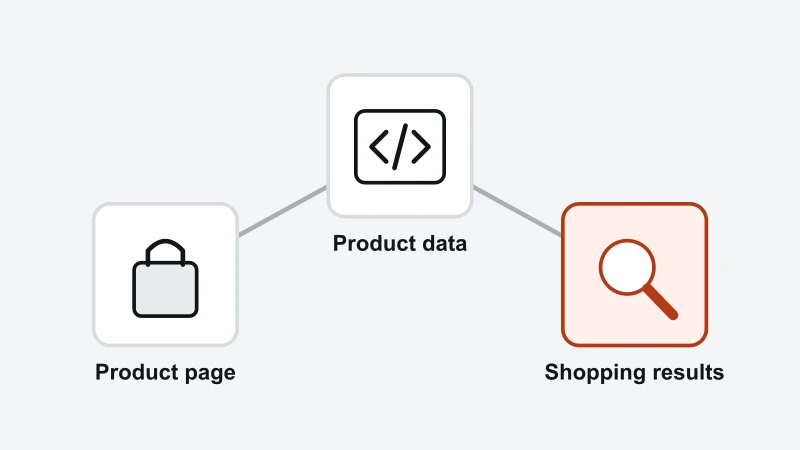
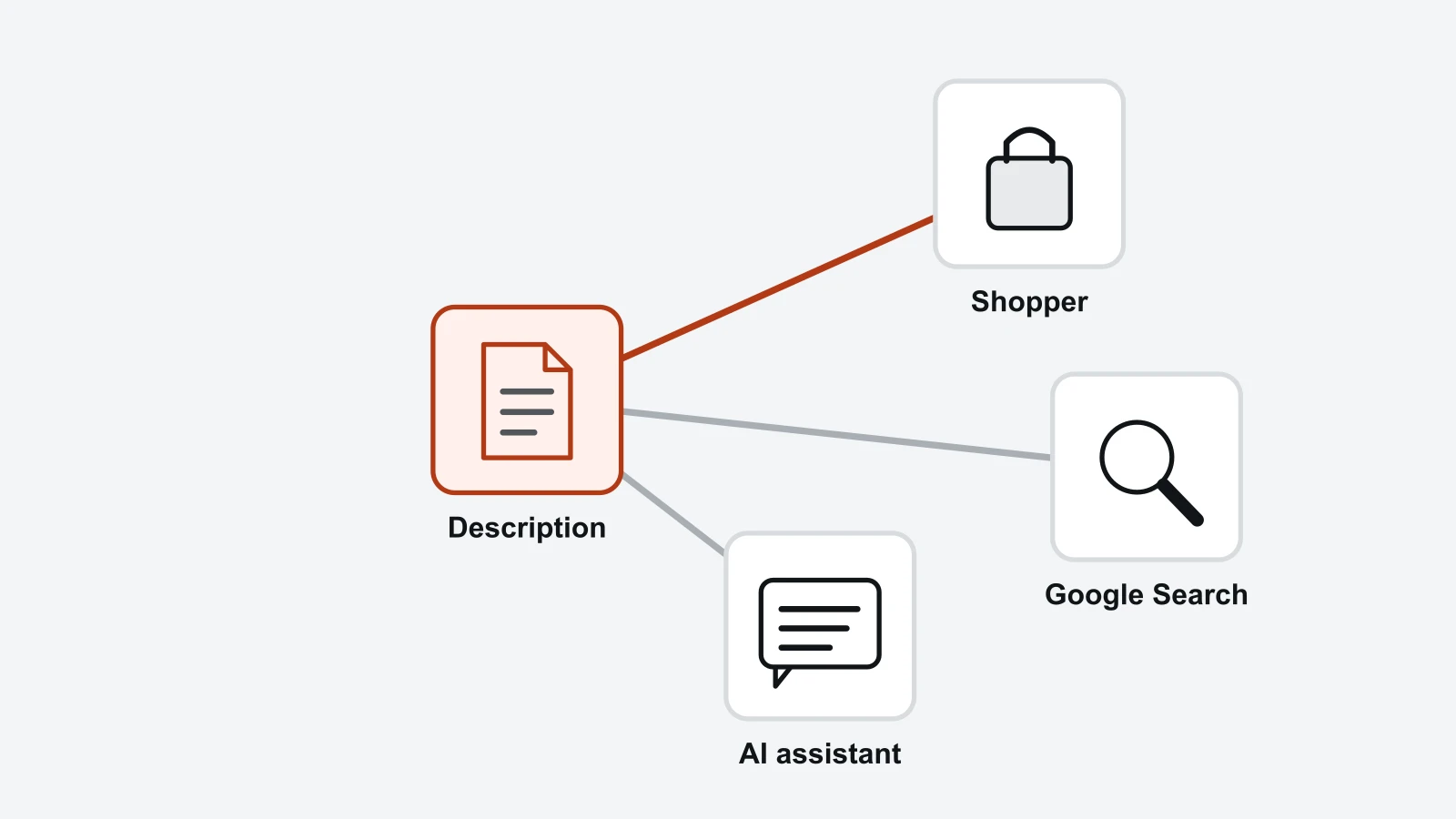
A good product description does three jobs in 2026. It persuades the shopper on the product page, it gives Google Search the words to match the page to a search, and it gives AI assistants, such as ChatGPT or Google's AI Mode, plain facts they can match to a shopper's prompt. Specific, checkable details serve all three readers at once.
Shopify's Help Center (opens in a new tab) puts the selling case plainly: "Be specific in your product descriptions. Product details add credibility and help to sell your product." The same details are what Google Search and an AI assistant can work with.
The three readers
- The shopper wants to know, fast, whether this item fits their need, their body, their kitchen or their budget.
- Google Search matches the words on the page, and the product data you submit, to what people type.
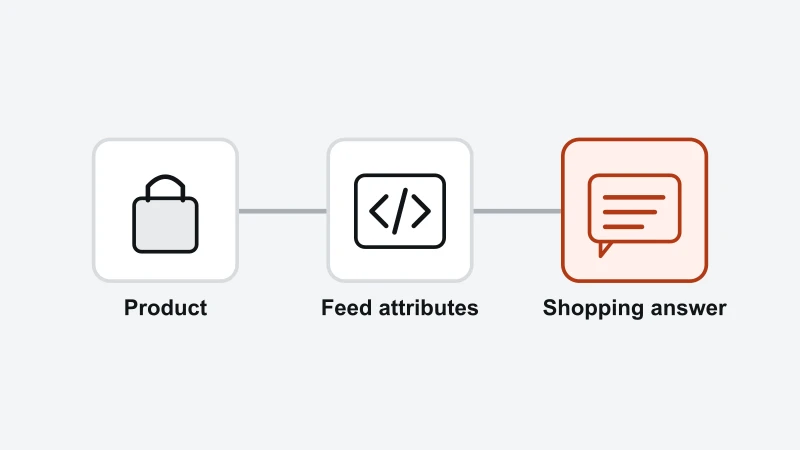
- AI assistants read product data and pages, then answer prompts such as "waterproof trail shoe for wide feet". A listing that never says "wide" gives them nothing to match.
This guide follows that order: gather the facts, write for the buyer, then meet what Google Merchant Center and AI shopping need. If your main question is whether AI shopping answers show your products, go to the section on how AI assistants use your descriptions.
What should a product description include? The facts to gather
A product description should include what the item is, who it is for, the problem it solves, its key specifications, materials, sizes or dimensions, compatibility, care and what comes in the box. Gather these facts before you write, because a description is only as specific as the fact sheet behind it, and vague copy usually means missing facts.
- What it is
The product type in the words buyers use
- Who it is for
One specific buyer
- The problem it solves
The result the buyer gets
- Key specifications
The lines buyers compare
- Materials
What it is made of
- Sizes or dimensions
Measured on the product in hand
- Compatibility
What it works with
- Care and what is in the box
How to look after it and what arrives
Fill one fact sheet per product and reuse it for the product page and every feed.
Missing facts cost sales, because a buyer who cannot find the size, material or fit either asks, guesses or leaves.
Where the facts come from
- The supplier's specification sheet: materials, dimensions, weights and certifications. Confirm each one on the product in hand.
- Your own measurements: measure what buyers ask about, such as inside length, capacity or cable length.
- Customer reviews and support emails: the questions buyers ask before they order are your list of objections.
- Returns reasons: if items come back as "smaller than expected", the description is missing a size fact.
One fact sheet per product
Keep one fact sheet per product and reuse it for the product page, the Google Merchant Center feed and any other channel. One source of truth keeps the size, the material and the care instructions identical everywhere.
A quick test: every line on the fact sheet should be something a buyer could confirm when the parcel arrives. "Premium quality" fails that test. "Merino wool outer, nylon heel" passes it.
A product description template you can copy
This product description template has six parts: a one-line hook that names the buyer and the main benefit, a short paragraph on how the product is used, bullets that pair each feature with what it means for the buyer, specifications, an answer to the main objection, and what is in the box or how to care for it.
PRODUCT DESCRIPTION TEMPLATE

1. Hook (one sentence)
   [Product type] for [specific buyer] that [main benefit].

2. In use (2 to 3 sentences)
   Where, when and how the buyer uses it. One concrete scene.

3. Features and what they mean (3 to 6 bullets)
   - [Feature]: [what it means for the buyer]

4. Specifications (list)
   Material:
   Dimensions or sizes:
   Weight:
   Compatibility:
   Certifications:

5. Objection answered (1 to 2 sentences)
   The question buyers ask before they order, answered with a fact.

6. In the box or care (list or one sentence)
Fill only the parts your product needs. A phone cable may need no "in use" scene. A mattress needs a long objection section on firmness and returns.
Put the hook and the first feature bullets where a phone screen shows them without scrolling. Keep specifications as a list, because a buyer comparing two products scans for one line, such as weight or width.
How to write a product description, step by step
The seven steps below turn a filled-in fact sheet into finished copy for the product page.
- Pick one buyer
One person with one need
- Lead with the main benefit
Buyer and result in the first sentence
- Pair each feature with what it means
Fact first, reason to care second
- Use the words buyers search with
Search Console, reviews, store search
- Answer the main objection
Sizing, care, compatibility or durability
- Write for a phone, around the photos
Photos show the look; copy carries the facts
- Check every claim
Line by line against the fact sheet
Each step works from a filled-in fact sheet for one product.
1. Pick one buyer
Write for one person with one need, such as "a runner with wide feet who trains on wet hills". A description aimed at everyone ends up describing the product in general terms that persuade nobody.
2. Lead with the main benefit
On a phone, the first sentence may be all a shopper reads before the photos and the price. Name the buyer and the result they get in that sentence, then let the details prove it.
The "in use" paragraph that follows the hook is the description's mini-story. A scene works when it has three parts: the buyer, the moment they use the product and the result they get. Example 1 below shows a short scene and a longer one.
3. Pair each feature with what it means
A feature is what the product has; a benefit is what that does for the buyer. Write each bullet as a pair: "Waterproof membrane: dry feet through wet grass and shallow puddles." The feature gives the fact; the second half gives the reason to care.
Where you would reach for an adjective, write a sensory fact the buyer can check instead. "Merino wool outer" tells them how it feels, and "steaks brown instead of steaming" tells them what happens in the pan. "Luxurious" and "amazing" tell them nothing.
4. Use the words buyers search with
In Google Search Console, the performance report for a product page lists the queries it appeared for in Google Search. Reviews and your store's own search box show the words buyers use, which are often plainer than yours.
Use the product type a buyer types, such as "wide-fit trail running shoes", ahead of any internal range name. Our guide to ecommerce product page SEO covers the rest of the page.
5. Answer the main objection
Pick the question that most often stops a purchase: sizing, care, compatibility or durability. Answer it with a fact in one or two sentences, close to the specifications.
Back the answer with reviews
Reviews show that the facts hold up for real buyers. Pick a line from a real customer review that confirms a fact, such as a reviewer saying the shoe fits true to size, and quote it word for word beside the sizing answer. Never write or reword a review to suit the copy.
Show the star rating and review count right beside the description, so the proof sits next to the claim. Keep reviews out of the Google Merchant Center description: Google collects ratings separately, through its product ratings (opens in a new tab) programme and feed.
6. Write for a phone, around the photos
On a phone, shoppers see the photos before most of the text. Photos show what words cannot, such as colour, scale and texture, so the copy should carry the facts a photo cannot show: weight, material and compatibility.
Use short paragraphs, bullets for features, a list for specifications and no walls of text. Read the finished description on a phone before you publish it.
7. Check every claim
Read the description line by line against the fact sheet. Anything you cannot back with a fact, such as "best on the market", comes out or becomes the fact behind it.
Three product description examples (illustrative)
The three product description examples below are illustrative: the products, and every figure in them, are invented to show the method. Each one starts from a fact sheet, follows the template above and is written for one buyer: a runner with wide feet, a home cook and a small online shop.
Example 1: a trail running shoe
Illustrative example: wide-fit trail running shoe

A trail running shoe for runners with wide feet that keeps them dry on wet hill paths.

Wide feet usually mean squeezing into a size too long. This shoe has a wider toe box at your normal length, so your toes can spread on long descents.

- Waterproof membrane: dry feet through wet grass and shallow puddles
- 5 mm lugs: grip on mud and loose gravel
- Rock plate under the forefoot: fewer sharp stones felt through the sole

Specifications
Fit: wide (2E)
Heel-to-toe drop: 6 mm
Weight: 310 g (UK size 9)
Upper: recycled polyester mesh

Sizing: true to size. Between sizes? Choose the larger half size.
Why it works: the hook names the buyer and the benefit in one sentence. Each word a shopper might use in a prompt, "wide", "waterproof" and "trail", appears in plain words, and the sizing objection is answered with a rule.
A longer "in use" scene for the same shoe, still illustrative and built only from its fact sheet, adds two sentences:
Wide feet usually mean squeezing into a size too long. This shoe has a wider toe box at your normal length, so your toes can spread on long descents. On a wet hill path, the waterproof membrane keeps your feet dry through the grass and shallow puddles. On the way down, the 5 mm lugs grip mud and loose gravel, and the rock plate means fewer sharp stones felt through the sole.
Example 2: a cast-iron skillet
Illustrative example: 26 cm cast-iron skillet

A pre-seasoned cast-iron pan for home cooks who want a proper sear on any hob, including induction.

Heat it once and it stays hot: steaks brown instead of steaming, and cornbread goes straight from hob to oven.

- Pre-seasoned: ready to cook on day one
- Works on induction, gas, electric and ceramic hobs
- Oven-safe to 260°C: sear on the hob, finish in the oven
- Two pouring lips: drain fat from either side

Specifications
Cooking surface: 26 cm diameter
Weight: 2.6 kg
Material: cast iron, vegetable-oil seasoning

Is cast iron hard to look after? Wash with hot water, dry on a low heat and wipe with a drop of oil. Do not put it in the dishwasher.

In the box: skillet, silicone handle sleeve
Why it works: the hob list answers the most common compatibility question before it is asked. The weight is stated because cast iron is heavy, and the care answer removes the main reason people hesitate.
Example 3: a shipping label printer
Illustrative example: direct thermal shipping label printer

A shipping label printer for small online shops that send dozens of parcels a day and are tired of buying ink.

Print a 4 x 6 inch label from your order screen, peel it and stick it on the parcel. Direct thermal printing uses heat, so there is no ink or toner to buy.

- Direct thermal: no ink, toner or ribbons
- USB and Wi-Fi: print from the desk or across the room
- Fanfold or roll labels: use whichever your supplier sells

Specifications
Label widths: 2 to 4.65 inches
Connection: USB, Wi-Fi
Works with: Windows and macOS

Do I need branded labels? No. Any direct thermal label in the supported widths works.

In the box: printer, USB cable, power adapter, 50 starter labels
Why it works: a business buyer weighs running costs and compatibility, so both lead. The objection answer tackles a hidden cost directly.
From RankX AISee which products AI shopping answers show for your prompts.Compare the page version with the feed version in Google Merchant Center: the same size, material and care facts, and no price, delivery, company name or comparison in the feed.Start your free trialWhat does Google Merchant Center accept in a description?
Google Merchant Center truncates a description that runs past its character limit, so put the identifying facts first. Its rules, checked on 14 November 2026, ask you to describe the product itself and leave out all caps, symbols, promotional text such as price, sale price, sale dates, shipping, delivery date or company name, and comparisons with other products.
- Length
Product page: As long as the buyer needs. Merchant Center feed: Up to 5,000 characters.
- Price and sale dates
Product page: Own block on the page. Merchant Center feed: Leave out.
- Shipping and delivery
Product page: Own block on the page. Merchant Center feed: Leave out.
- Company name
Product page: Where it reads naturally. Merchant Center feed: Leave out.
- Comparisons with other products
Product page: Only facts you can back. Merchant Center feed: Leave out.
- All caps and symbols
Product page: Avoid. Merchant Center feed: Avoid.
Write the page version from the template, then strip offers, delivery and comparisons for the feed.
The table below covers the main rules; the full list is on Google's description attribute help page (opens in a new tab). The left column is our recommendation, and the right column follows Google's rules, including two that are easy to miss: "Don't include links to your store or other websites", and don't describe "compatible products, accessories, or other similar products".
Put in the feed description | Leave out of the feed description |
|---|---|
What the product is, in the first sentence | Price, sale price and sale dates |
Material, size, colour and fit | Shipping and delivery dates |
Technical details such as capacity, power or sizing | Your company name |
Specifications buyers compare | Comparisons with other products |
Care and what is in the box | All caps and decorative symbols |
Who it is for and how it is used | Links to your store or other websites |
Key features in plain words | Details of compatible products, accessories or similar products |
Product page and feed: two versions from one fact sheet
The product page can carry more than the feed, and its description can run as long as the buyer needs. On the page, price, delivery and returns sit in their own blocks, your brand can appear where it reads naturally, and any comparison should be a fact you can back.
In the feed, all of those come out, and all caps and symbols stay out of both. A practical approach: write the page description from the template, then make a feed version that drops anything about offers, delivery or rival products.
Put the facts that identify the product in the first sentences, so a truncated description still makes sense.
How do ChatGPT and Google AI Mode use your product descriptions?
OpenAI's Help Center says ChatGPT considers structured metadata such as price and product description from first- and third-party providers when it picks products (OpenAI (opens in a new tab)), and it may write simplified product titles and descriptions of its own. Neither OpenAI nor Google publishes the full rules for which products appear in an answer, so we do not know the weighting. The practical move is to state every attribute a shopper might put in a prompt, in plain words.
Where your description reaches them
OpenAI's product feed specification (opens in a new tab) for merchants lists a description field alongside fields such as title, price and availability. Our guide to ChatGPT Shopping product feeds covers how that feed is built.
Google's merchant listing structured data documentation (opens in a new tab) lists a description property for Product markup on pages where shoppers can buy. For how AI Mode differs from AI Overviews, see Google AI Mode vs AI Overviews.
Write for the prompts shoppers type
Take an illustrative prompt: "cast iron pan that works on induction for a small kitchen". The skillet example above states "induction" and "26 cm" in plain words, so an assistant has facts to match. A line such as "the only pan you will ever need" gives it nothing.
The same facts are what an AI agent needs if it completes a purchase for a shopper. Our agentic commerce guide explains how that buying flow works.
See which products AI shopping answers show
RankX AI's AI Shopping module checks the shopping prompts you choose in ChatGPT Shopping and in Google AI Mode, and shows which product cards appeared, which slot yours took and which merchants took the others, stated as "in N of M answers". Use it to see who appears for the prompts that matter, then compare the facts their listings state with your fact sheet.
AI Shopping is a module switched on per website, and RankX AI switches it on for you when it recognises a store (how AI Shopping works). On Shopify it runs inside the RankX AI app in your Shopify admin (RankX AI for Shopify). See RankX AI Shopping and plans and pricing.
Can you write product descriptions with AI? What Google requires
Yes, you can use AI to write product descriptions. Google Search's guidance says "Appropriate use of AI or automation is not against our guidelines", while content generated mainly to manipulate search rankings breaks its spam policies. A person should still review what the AI drafts before it goes live.
The guidance is on Google Search Central (opens in a new tab). Google Merchant Center goes further for feeds: "All descriptions created using generative AI must be provided using the structured description [structured_description] attribute", with the digital source type set to trained_algorithmic_media (Google Merchant Center Help (opens in a new tab)).
A safe AI drafting workflow
- Give the AI tool your fact sheet and nothing else to draw facts from.
- Ask for the six-part template structure.
- Tell it to mark missing facts instead of guessing.
- Have a person review the draft before it goes live.
- In your Merchant Center feed, send AI-written text in structured_description, not description.
- Edit the hook and the "in use" scene into your own voice.
You are writing a product description for [store name]'s product page.
Use only the facts in the fact sheet below. If a fact is missing,
write [MISSING: what is needed] instead of guessing.

Buyer: [one specific buyer]
Structure: hook (one sentence); in use (2 to 3 sentences);
3 to 6 feature bullets, each with what it means for the buyer;
specifications list; the main objection answered; in the box.
Rules: British English. No superlatives you cannot prove.
No prices, shipping, sale dates or comparisons with other products.

Fact sheet:
[paste fact sheet]
The [MISSING] marker is the useful part. It shows you which facts to go and find before the description goes live.
Product description mistakes to avoid
- Vague superlatives. "Best quality" and "unbeatable comfort" tell a shopper nothing and match no prompt. Replace each with the fact behind it.
- Copied manufacturer text. The same words can appear on many stores selling the item, which gives a shopper and Google Search no reason to choose your page.
- Specifications buried in paragraphs. A buyer looking for the weight should find it in a list in a second.
- Promotional text in the feed. Price, sale dates, shipping and your company name stay out of the Merchant Center description.
- Writing for everyone. Without one buyer in mind, the hook turns generic.
- Facts that differ between channels. If the page says 26 cm and the feed says 25 cm, shoppers and assistants see two answers, so work from one fact sheet.
- Claims nobody checked. AI-drafted text needs a person to review it before it goes live.
- Keyword stuffing. Repeating "trail running shoes" in every sentence reads badly and adds no information.
The short version
Gather the facts, pick one buyer, lead with the benefit, prove it with specific features and a spec list, answer the main objection and check every claim. Make a feed version without price, shipping or comparisons, and use plain words for the details buyers type into a prompt. To see which products AI shopping answers show for the prompts you care about, see RankX AI Shopping.
Test one finished description before you rewrite the range
Pick one best-selling product and put its finished description beside its fact sheet. Read every line and mark anything a buyer could not confirm when the parcel arrives. Then open the product page on a phone and check that the hook, the first feature bullets and the specifications show without a long scroll.
Compare the page version with the feed version in Google Merchant Center: the same size, material and care facts, and no price, delivery, company name or comparison in the feed. Keep the old description so you can compare the page's Search Console queries over comparable periods. Clearer facts give shoppers, Google Search and AI assistants more to match; they do not guarantee a ranking, a place in an AI answer or a sale.
Next, see how the rest of a product page is optimised or prepare a ChatGPT product feed.
Questions about Ecommerce & Technical SEO
How long should a product description be?
As long as it takes to answer what a buyer asks before ordering, and no longer. A phone case may need a hook, a few bullets and a spec list; a mattress needs much more. For the Google Merchant Center feed, Google truncates a description that runs past its character limit, so put the identifying facts first.
Do product descriptions help SEO?
Yes: the description is often the main unique text on a product page, so it gives Google Search the words to match the page to searches for the product type, its attributes and its uses. Copied or thin descriptions give it little to work with. Our Shopify SEO guide covers the rest of a store.
Can I copy the manufacturer's product description?
You can, but your page then repeats text that other stores selling the item can use too. Start from the manufacturer's specifications, check them against the product, and write the hook, the benefits and the objection answer yourself.
Should product descriptions use bullet points?
Yes, for features and specifications. Shopify's Help Center (opens in a new tab) recommends listing features and technical details and keeping descriptions scannable, and bullets do that on a phone screen. Keep the hook and the "in use" scene as short paragraphs, because they carry the reason to buy.
Can I use AI to write product descriptions?
Yes, if a person checks the result. Google Search's guidance says appropriate use of AI is not against its guidelines. In a Google Merchant Center feed, AI-written descriptions must go in the structured_description attribute, marked as trained_algorithmic_media. Give the AI tool only your fact sheet and have it mark missing facts.
Sources
- Shopify Help Center: Writing engaging product descriptions (opens in a new tab) Checked 2026-11-18.
- Google Merchant Center Help: Description [description] (opens in a new tab) Checked 2026-11-18.
- Google Search Central Blog: Google Search's guidance about AI-generated content (opens in a new tab) Checked 2026-11-18.
- OpenAI: Product feed specification (opens in a new tab) Checked 2026-11-18.
- Google Merchant Center Help: AI-generated content (opens in a new tab) Checked 2026-11-18.
- OpenAI Help Center: Shopping with ChatGPT Search (opens in a new tab) Checked 2026-11-18.
- Google Search Central: Merchant listing structured data (opens in a new tab) Checked 2026-11-18.
Asif Syed is the founder and CEO of RankX AI, the AI search visibility platform. He builds the product and writes here about GEO, AI search measurement and WordPress.
CoversThis article covers the Ecommerce & Technical SEO topic, the AI Shopping feature and the AI Readiness Score tool.
Terms usedProduct feed, ChatGPT Shopping, AI shopping visibility, Google AI Mode, Search Intent and Schema Markup (Structured Data).
Read this page asMarkdown: /blog/how-to-write-a-product-description.md.
All articlesEverything RankX AI publishes is listed on the blog index.
Ask an assistantAsk ChatGPT (opens in a new tab), Ask Claude (opens in a new tab) or Ask Perplexity (opens in a new tab).
Preferred sourceIf Google is your front door, you can add RankX AI as a preferred source (opens in a new tab), which asks your own results to surface more of what we publish.